

How to change the movement keys to WASD
 🌸 幻 | Teruvalin
Aug 14, 2025 @ 5:12am36033
AchievementsCharactersClassesCo-opCraftingGame ModesGameplay BasicsLootMaps or LevelsModding or ConfigurationMultiplayerSecretsStory or LoreTradingWalkthroughsWeaponsWorkshopEnglish
#1・Locate files.
Go to your game's files and find a folder called 'js'.

Now locate a file called 'rpg_core.js' and open it with a text editor.
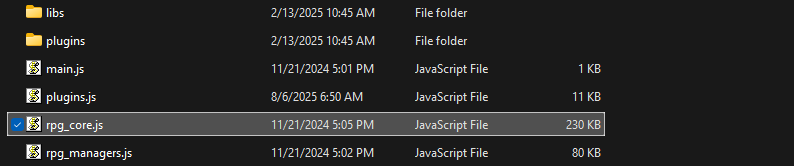
Now locate a file called 'rpg_core.js' and open it with a text editor.
#2・Edit 'rpg_core.js'.
Press Ctrl + F and search '38', it'll take you to the key mapper lines.
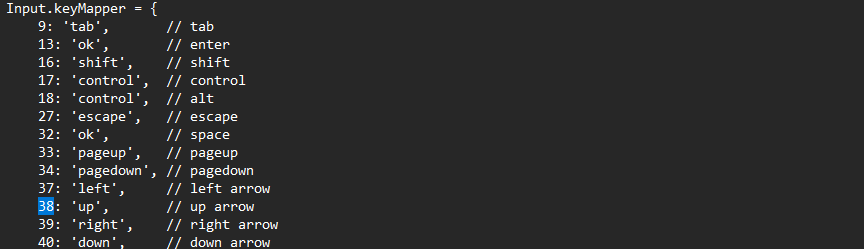
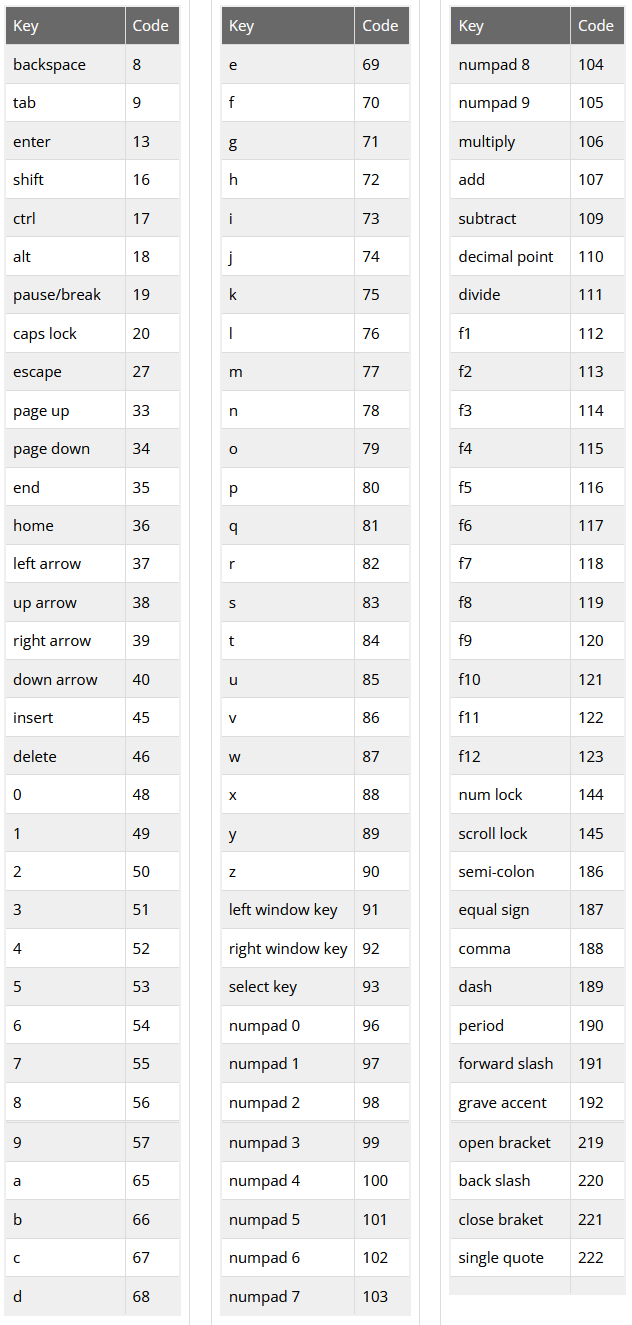
Every key on your keyboard is assigned to a value, if you want to know them all just search for 'Javascript Character Codes' or 'Javascript Key Codes'.
Here's all of them, if you're curious:
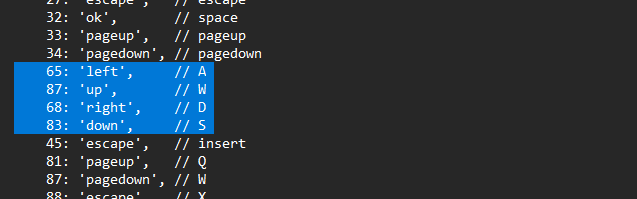
If you want your basic movement keys to be WASD, change them to these:
Every key on your keyboard is assigned to a value, if you want to know them all just search for 'Javascript Character Codes' or 'Javascript Key Codes'.
Here's all of them, if you're curious:
If you want your basic movement keys to be WASD, change them to these:
- W is 87
- A is 65
- S is 83
- D is 68
#3・Fix the W key.
If you want to make your character move with the WASD keys, you'll notice that the W value is already being used for 'pagedown' by default.
You can change 'pagedown' to another value or just simply remove it.
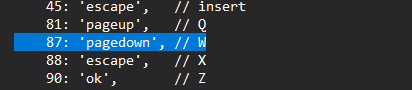
In my case I just removed it.
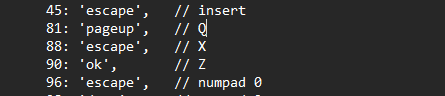
You can change 'pagedown' to another value or just simply remove it.
In my case I just removed it.
#4・Keep the default keys if you want.
You can make your character move with both WASD and the arrow keys if you want, you just need to have them both on 'rpg_core.js' just like in this picture below:
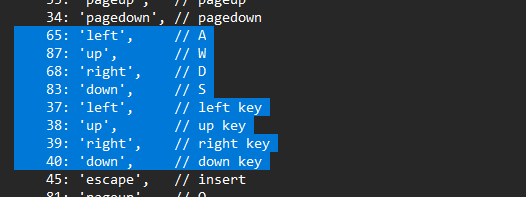
And that's it, thanks for reading!
And that's it, thanks for reading!