

Screenshot Competition - How to Participate
 War Thunder Commander
(263 ratings)
Mar 6, 2025 @ 10:30am32,395131
WalkthroughsEnglish
How to Participate!
- While in-game or while using the replay system, screenshots can be captured in Steam with the “F12” key.
- The user interface can be hidden for taking screenshots. You can set a keybind: Controls > Common > Interface > “Hide HUD”.
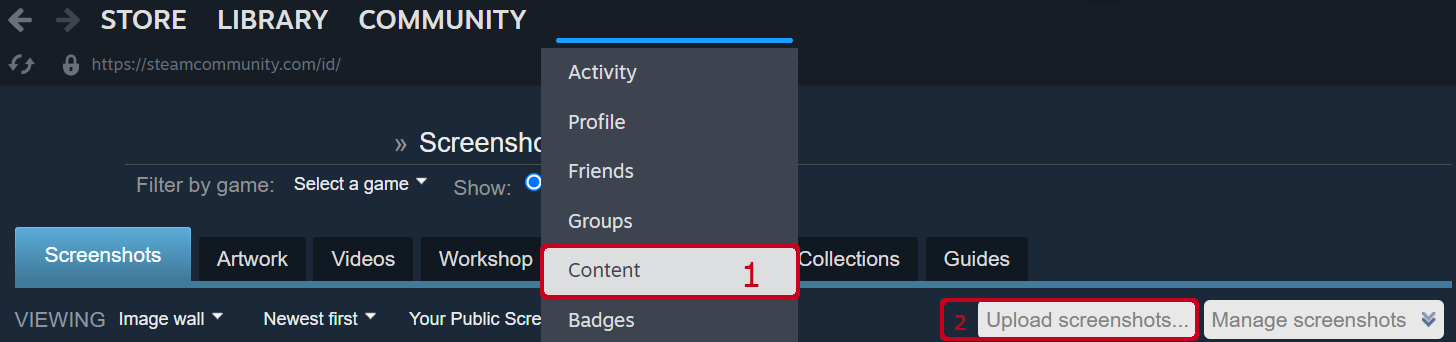
- Screenshots taken in-game can be found in your library by going to “Content”, found under your username. On the right is a button, “Upload Screenshots…”, where you can pick the screenshot you would like to upload.
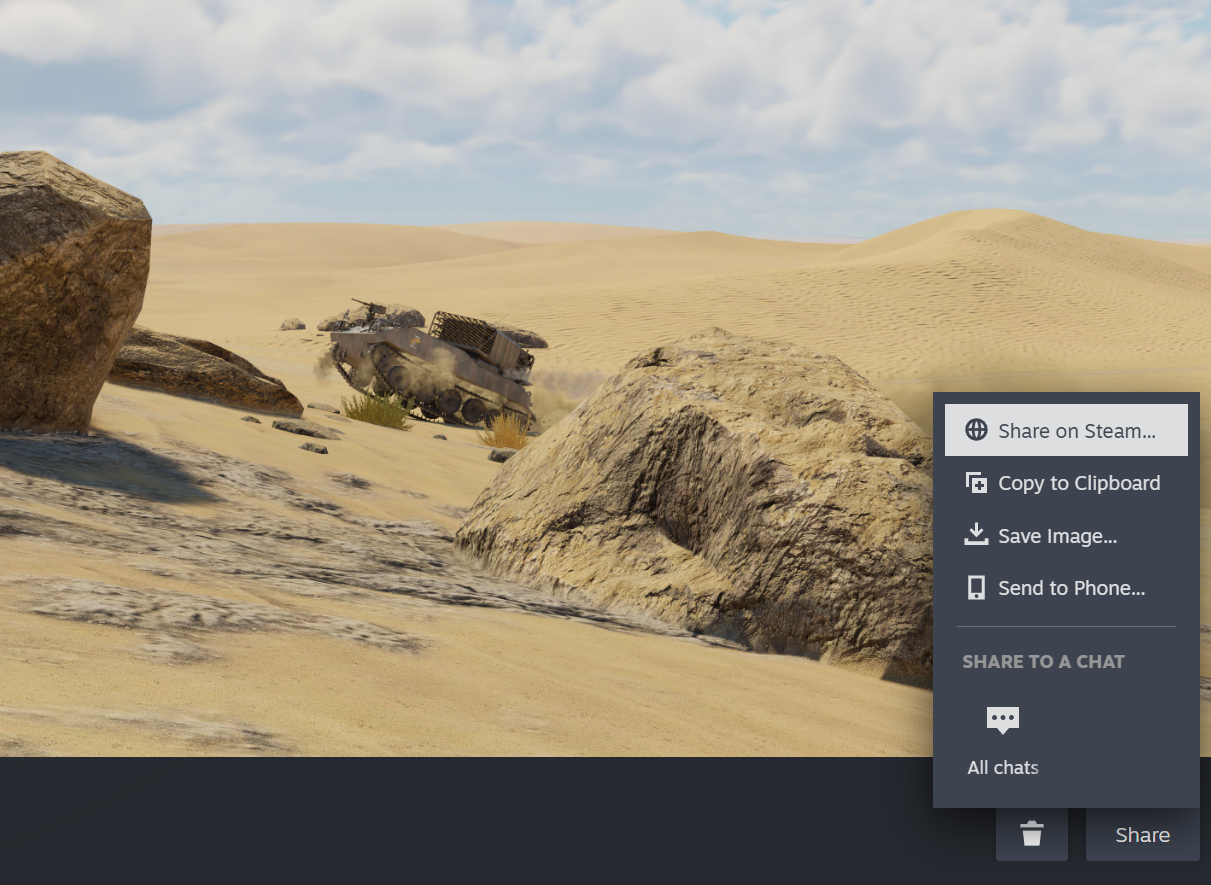
- This will open a new screen. At the bottom right is a button, “Share”, > “Share on Steam”.
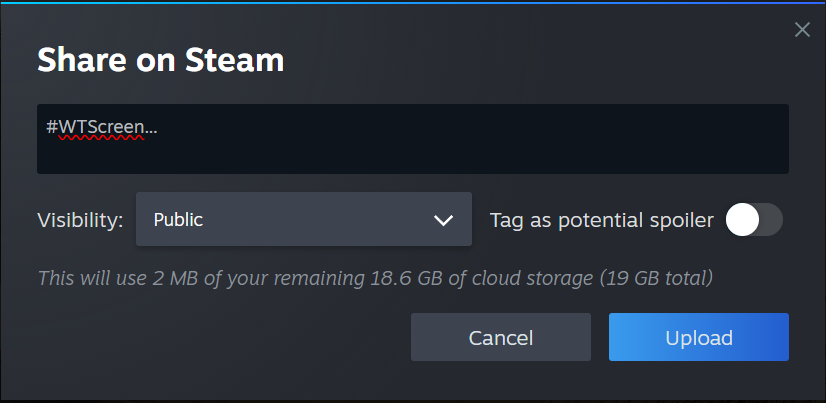
- In the “Share on Steam” screen, put the tag of the competition you wish to enter (As above in “terms”). Be sure to set the visibility to “Public”, and not tagged as a spoiler.
Как участвовать!
- В игре или в сервисе повторов сделайте скриншот: в Steam это делается клавишей F12.
- Интерфейс при снятии скриншотов можно скрыть. Для этого можете назначить комбинацию клавиш в меню Управление > Общее > Интерфейс > Скрыть интерфейс.
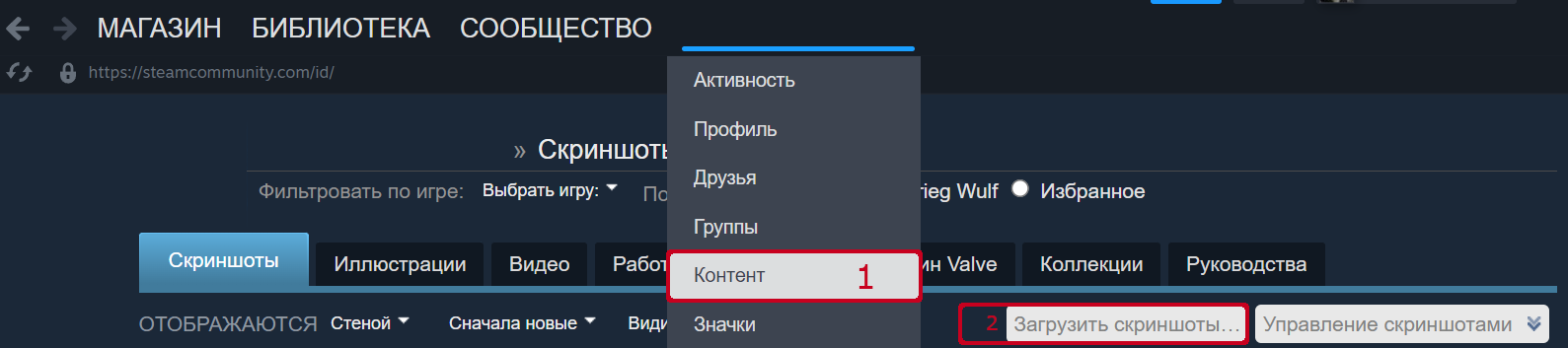
- Сделанные в игре скриншоты можно найти в Steam, перейдя во вкладку «Контент» под вашим никнеймом. Справа вы увидите кнопку «Загрузить скриншоты…», кликнув по которой, вы можете выбрать скриншот для загрузки.
- Откроется новый экран. Справа внизу нажмите на «Поделиться» > «Поделиться в Steam».
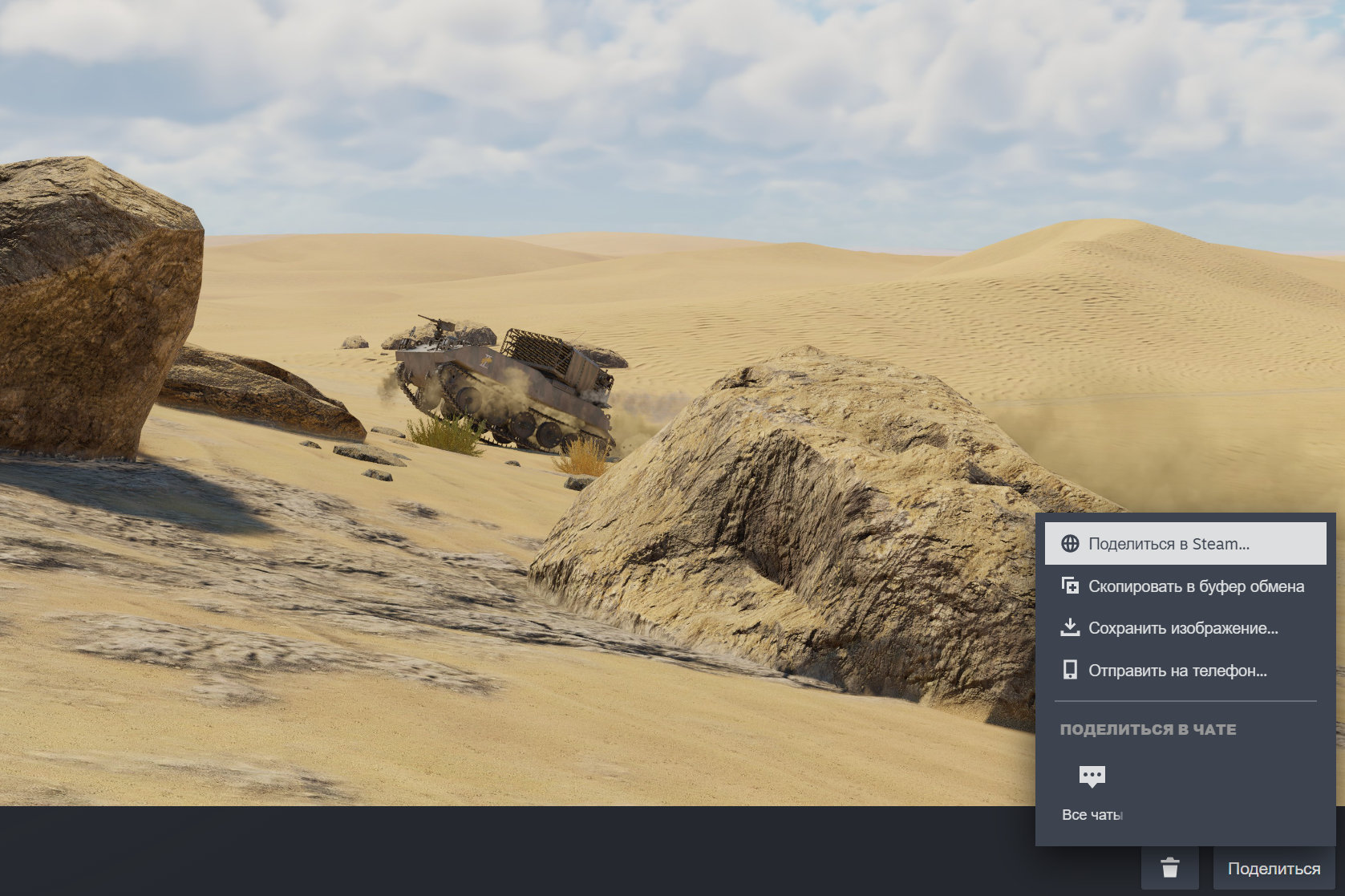
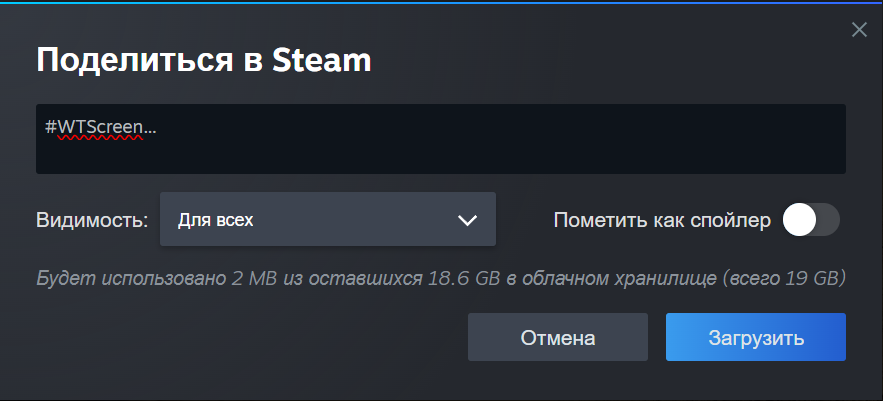
- На экране «Поделитьься в Steam» введите тег, указанный выше в «подробных условиях». Поставьте видимость «для всех» и не включайте «Пометить как спойлер».
如何参与竞赛!
在进行游戏或播放回放时,按下 F12 键即可通过 Steam 截取截图。
- 进行截图时,可以隐藏用户界面。您可以通过如下步骤设置相应键位:按键设置 > 通用 > 界面 > 隐藏抬头显示
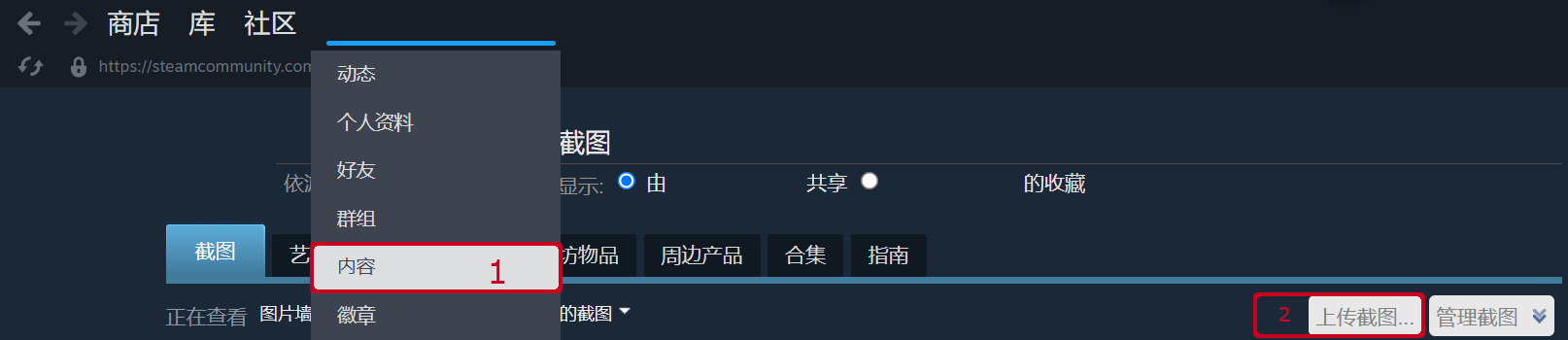
- 在用户名下内容一栏中可以找到您截取的游戏截图。点击界面右侧的上传截图键即可选择您想上传的截图。
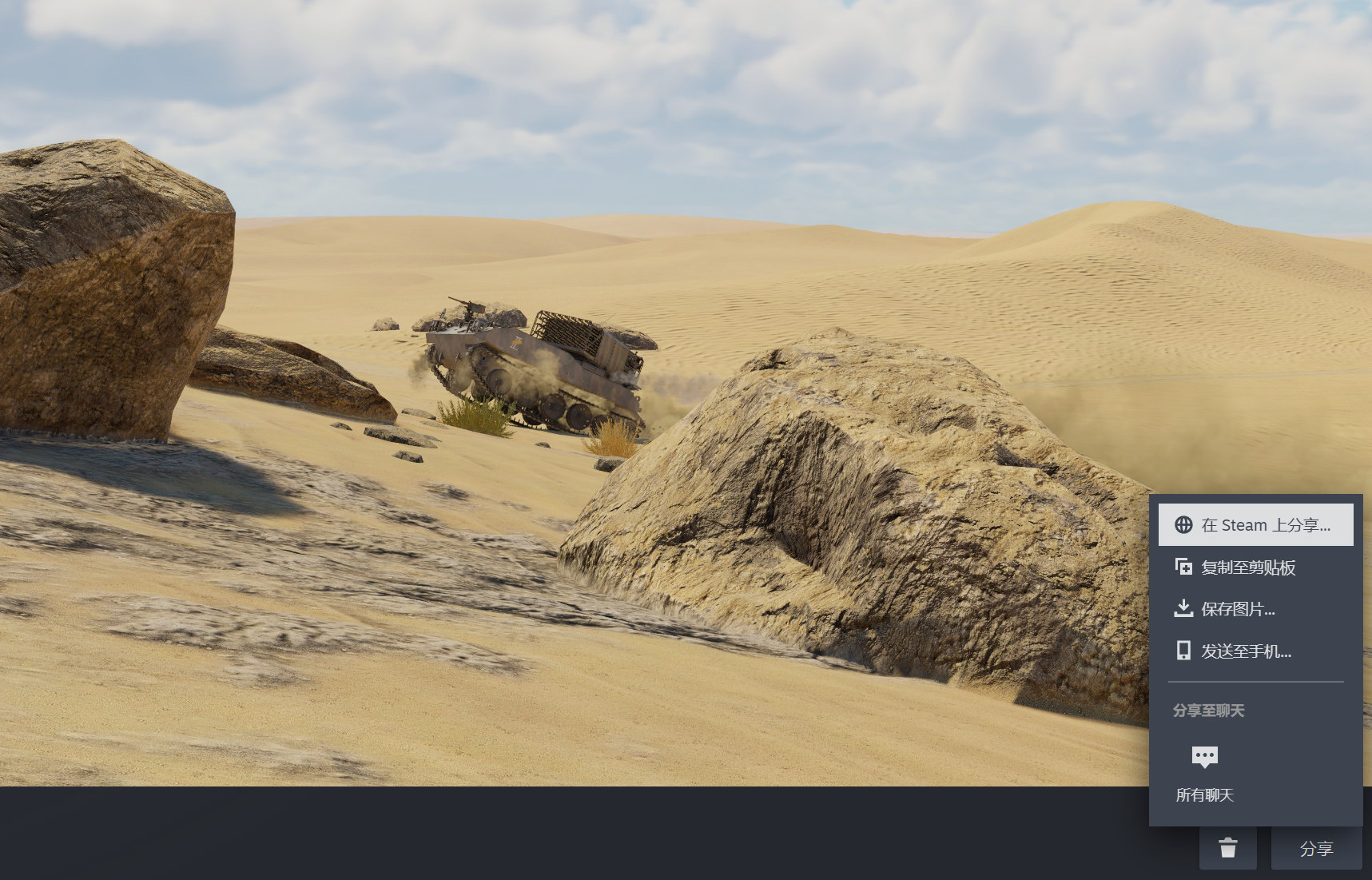
- 点击上传截图键将打开一个新窗口。在右下角点击“分享”键 > “在 Steam 上分享”。
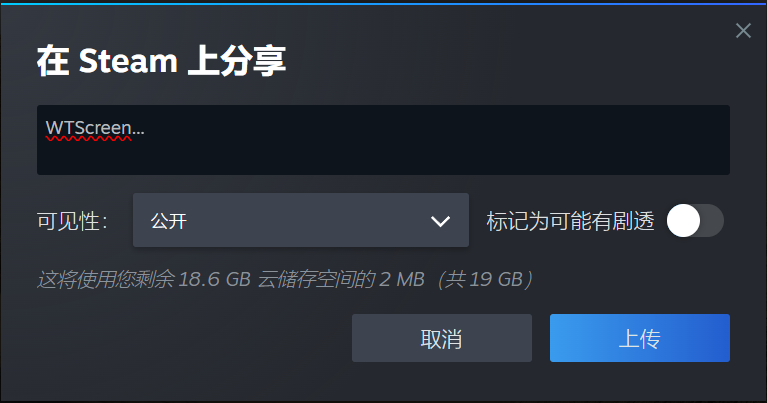
- 在”在 Steam 上分享“对话框中,输入您要参与的截图竞赛的 tag (您可以在本文”条款“一栏中找到相应 tag)。别忘了将可见性设置为公开,同时不要标记为可能有剧透。