How to fix Slow/Laggy Launcher
 Casualfield
(53 ratings)
Aug 3, 2025 @ 10:49am1,39450
WalkthroughsEnglish
5 Easy Steps!
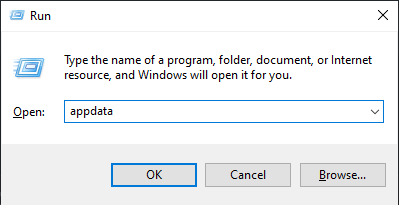
- 1. Close the launcher. Press the Windows key + R to open Run. Type appdata and hit ok.
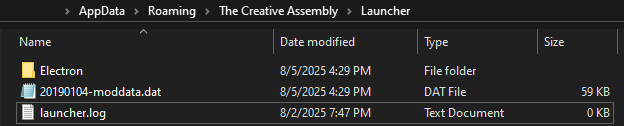
- 2. Go to: Roaming\The Creative Assembly\Launcher
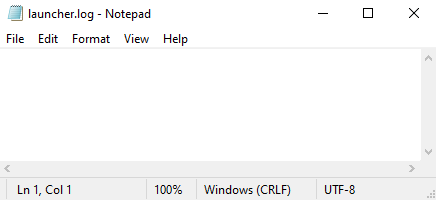
- 3. Open the launcher.log text file with notepad. Delete everything inside, save and close.
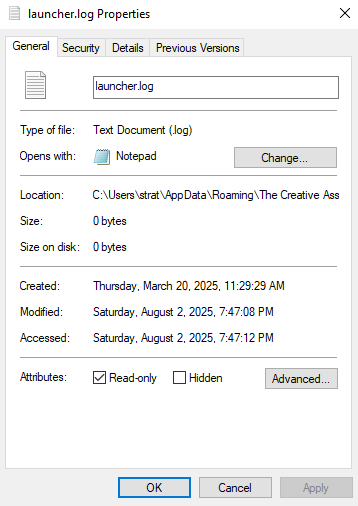
- 4. Right click the launcher.log text file and go to properties. Check Read-only and apply.
- 5. Done! Enjoy a fast and properly functioning launcher again!