

Save different game sessions at the same time.
 Jannylili
(81 ratings)
May 7, 2021 @ 7:00am7,41062
Modding or ConfigurationEnglish
1- Play the game.
Logic step and simple.
Play with the friend you want to play first. Spend a few hours with each other, learn how important CO-LA-BO-RATION is. When you are done with your session, play until you see the auto-save logo in the bottom right corner.
After that you can close the game.
Play with the friend you want to play first. Spend a few hours with each other, learn how important CO-LA-BO-RATION is. When you are done with your session, play until you see the auto-save logo in the bottom right corner.
After that you can close the game.
2- Locate the save game folder.
Now you have to locate your Save Game folder. Where excatly you can find the folder is stated in the picture below.

(Source: https://www.pcgamingwiki.com/wiki/It_Takes_Two)
(Source: https://www.pcgamingwiki.com/wiki/It_Takes_Two)
3- Copy the Save Data File
After opening the folder you'll be presented with 4 different files.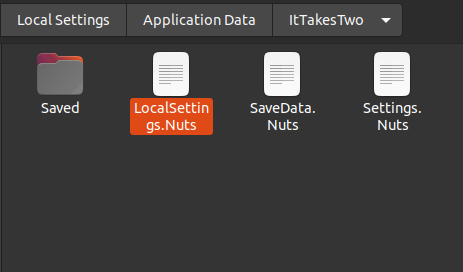
You need to copy n' paste the file called "SaveData.nuts" into a different folder. (preferable a location you have quick access to)
Because it contains the exact location your game quick-saved and not only the chapter you are in.

After this step you can easily start a new game with another friend, without worrying about your save data containing the last game session.
Make sure to save the file everytime you are finished playing. And obviously use for each game session with different progress/friends different save data files.
You need to copy n' paste the file called "SaveData.nuts" into a different folder. (preferable a location you have quick access to)
Because it contains the exact location your game quick-saved and not only the chapter you are in.
After this step you can easily start a new game with another friend, without worrying about your save data containing the last game session.
Make sure to save the file everytime you are finished playing. And obviously use for each game session with different progress/friends different save data files.
4- "Load" the game.
I prefer to add the name of the friends I play with at the end of the save files. Like that I remeber which file belongs to which session.
You just need to make sure to replace the current "SaveDate.Nuts" file with the session you want to play in.
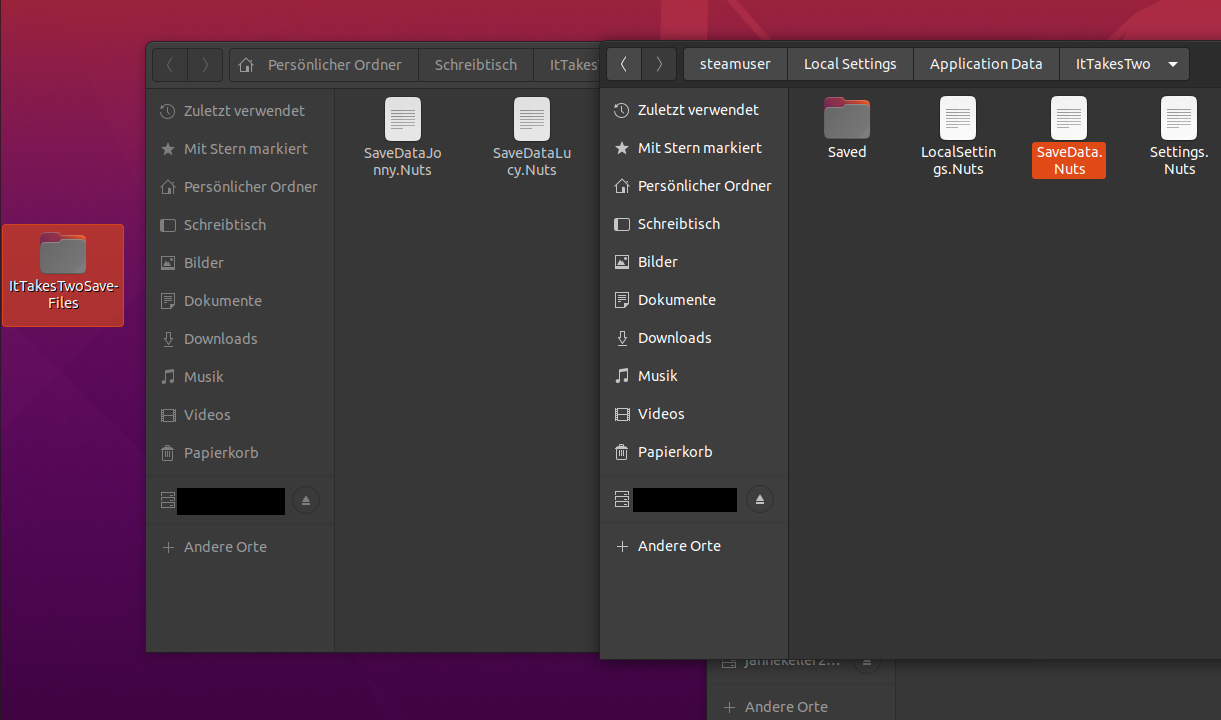
You just need to make sure to replace the current "SaveDate.Nuts" file with the session you want to play in.