

How To Enable A Script Break Warning
 prop joe
(59 ratings)
Nov 13, 2023 @ 5:09am21,68995
Gameplay BasicsModding or ConfigurationWorkshopEnglish
Introduction
The context viewer, usually intended for modders, can give you a warning when you have a script break in your game. A script break occurs when a Lua script throws an error while running. This in turn crashes the whole in-game Lua interpreter, so other script mods stop working as well, as well as some vanilla game features powered by scripts. You should never play the game with broken scripts.
Enable in game options
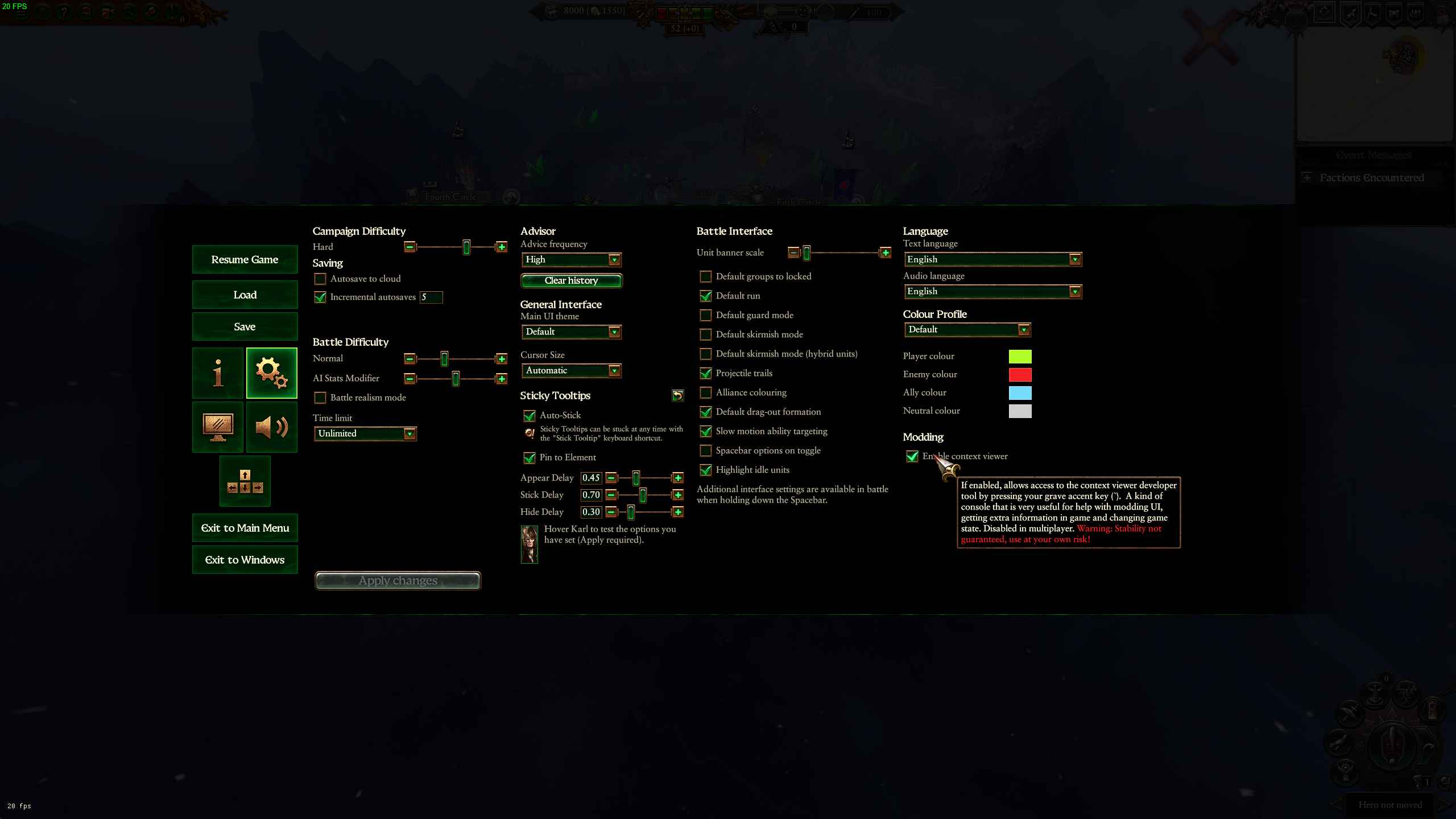
In the options menu click the gear icon and under the "Modding" header check the "Enable context viewer" checkbox.
In-game warning
if you have a script break you will see a red cross in the top right of your screen:

Reload the last save and do not play the game with broken scripts. It's possible you'll have to find and disable the mod that caused the script break.
Reload the last save and do not play the game with broken scripts. It's possible you'll have to find and disable the mod that caused the script break.
Caveat
Once a script warning shows it'll always persist from then on if you save the game with it showing. So in cases where a reload somehow causes the script to not break (possible with some scripts) or in cases where you remove a script mod that was the cause, you'd expect the warning to disappear, but it'll always stay there when you load the game where the warning was already showing. You must reload a save from before the warning appeared.
Error in the script log
If you enable the script log using an option in the WH3 Mod Manager (inside Other Options) or using the Script debug activator mod you will have script logs saved into the directory where your Warhammer3.exe is located. Script logs have a file name like script_log_010524_1229.txt. If you get a script error it will get logged in that file and reporting it could help a modder fix the error. Post your log in https://discord.gg/moddingden, in the mod_user_troubleshooting channel.