

Graphics Settings and Performance - Tested (WILL BE UPDATED WHEN PATCH 7.0 RELEASES)
 Dave
Dave(174 ratings)
Feb 17, 2022 @ 7:30am25,283314
Modding or ConfigurationWalkthroughsWorkshopEnglish
------- IMPORTANT PLEASE READ -------
------- IMPORTANT PLEASE READ -------
WILL BE UPDATED WHEN PATCH 7.0 RELEASES
Hopefully by Monday 8th December! - Will now be later than this due to illness.
------- IMPORTANT PLEASE READ -------
WILL BE UPDATED WHEN PATCH 7.0 RELEASES
Hopefully by Monday 8th December! - Will now be later than this due to illness.
------- IMPORTANT PLEASE READ -------
Introduction
I have gone through all the graphical settings for Total War: Warhammer 3 and tested the performance impact of each using the two in game benchmarks.
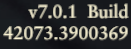
These tests were carried out on build v7.0.1 (42073.3900369) (07/12/2025)
Nvidia 591.44 WHQL drivers used (104/12/2025)

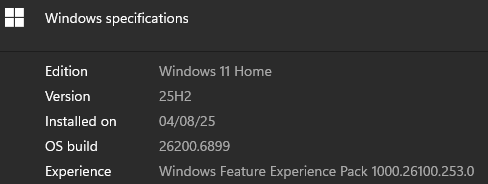
Windows 11 Version 25H2 (OS Build 26200.6899) used
No mods were installed during testing.
These tests were carried out on build v7.0.1 (42073.3900369) (07/12/2025)
Nvidia 591.44 WHQL drivers used (104/12/2025)
Windows 11 Version 25H2 (OS Build 26200.6899) used
No mods were installed during testing.
How to use the guide
Compare each setting with the MAXED OUT preset result to see what affect on FPS each has). (The % shows the increase moving to that setting has over MAXED OUT.
Results are shown as: AVERAGE (LOWEST, HIGHEST).
Results are shown as: AVERAGE (LOWEST, HIGHEST).
My Personal PC Specifications
This guide can be used for any system - I've just added my own PC specifications here for reference.
Computer
CPU - AMD Ryzen 7 9800X3D (5.425Ghz Overclock),
CPU Cooler - Arctic Liquid Freezer III 420,
GPU - Nvidia RTX 5090 Founders Edition,
RAM - G.SKILL Trident Z5 Neo RGB 48GB (8000MHz, CL38),
Motherboard - Asus ROG Crosshair X870E Hero,
PSU - Seasonic Prime TX ATX 3.0 1600W,
Case - HAVN HS 420,
Operating System - Windows 11.
Storage
- 4TB Samsung 9100 PRO NVMe PCIe 5.0 SSD (Boot/Games Drive), - GAME IS INSTALLED HERE
- 4TB Samsung 990 PRO NVMe PCIe 4.0 SSD (Games Drive),
- 4TB Samsung 990 PRO NVMe PCIe 4.0 SSD (Games/Programs Drive),
- 8TB Western Digital SN850X NVMe PCIe 4.0 External SSD (Emulation Drive).
Peripherals
Monitor - Alienware AW3423DW (Ultrawide 3440x1440, 144Hz, QD-OLED, HDR 1000, G-Sync Ultimate, 10-bit color),
Keyboard - Keychron Q3 Max,
Mouse - Hecate G5M Pro,
Headphones - Arya Stealth Magnet,
DAC/AMP - JDS Element IV.
Computer
CPU - AMD Ryzen 7 9800X3D (5.425Ghz Overclock),
CPU Cooler - Arctic Liquid Freezer III 420,
GPU - Nvidia RTX 5090 Founders Edition,
RAM - G.SKILL Trident Z5 Neo RGB 48GB (8000MHz, CL38),
Motherboard - Asus ROG Crosshair X870E Hero,
PSU - Seasonic Prime TX ATX 3.0 1600W,
Case - HAVN HS 420,
Operating System - Windows 11.
Storage
- 4TB Samsung 9100 PRO NVMe PCIe 5.0 SSD (Boot/Games Drive), - GAME IS INSTALLED HERE
- 4TB Samsung 990 PRO NVMe PCIe 4.0 SSD (Games Drive),
- 4TB Samsung 990 PRO NVMe PCIe 4.0 SSD (Games/Programs Drive),
- 8TB Western Digital SN850X NVMe PCIe 4.0 External SSD (Emulation Drive).
Peripherals
Monitor - Alienware AW3423DW (Ultrawide 3440x1440, 144Hz, QD-OLED, HDR 1000, G-Sync Ultimate, 10-bit color),
Keyboard - Keychron Q3 Max,
Mouse - Hecate G5M Pro,
Headphones - Arya Stealth Magnet,
DAC/AMP - JDS Element IV.
Campaign Settings (UPDATE DONE)
IE CAMPAIGN BENCHMARK with the MAXED OUT preset (shown below) as a baseline.
(Compare each setting with the MAXED OUT preset result to see what affect on FPS each has). (The % shows the increase moving to that setting has over MAXED OUT).
Results are shown as: AVERAGE (LOWEST, HIGHEST).
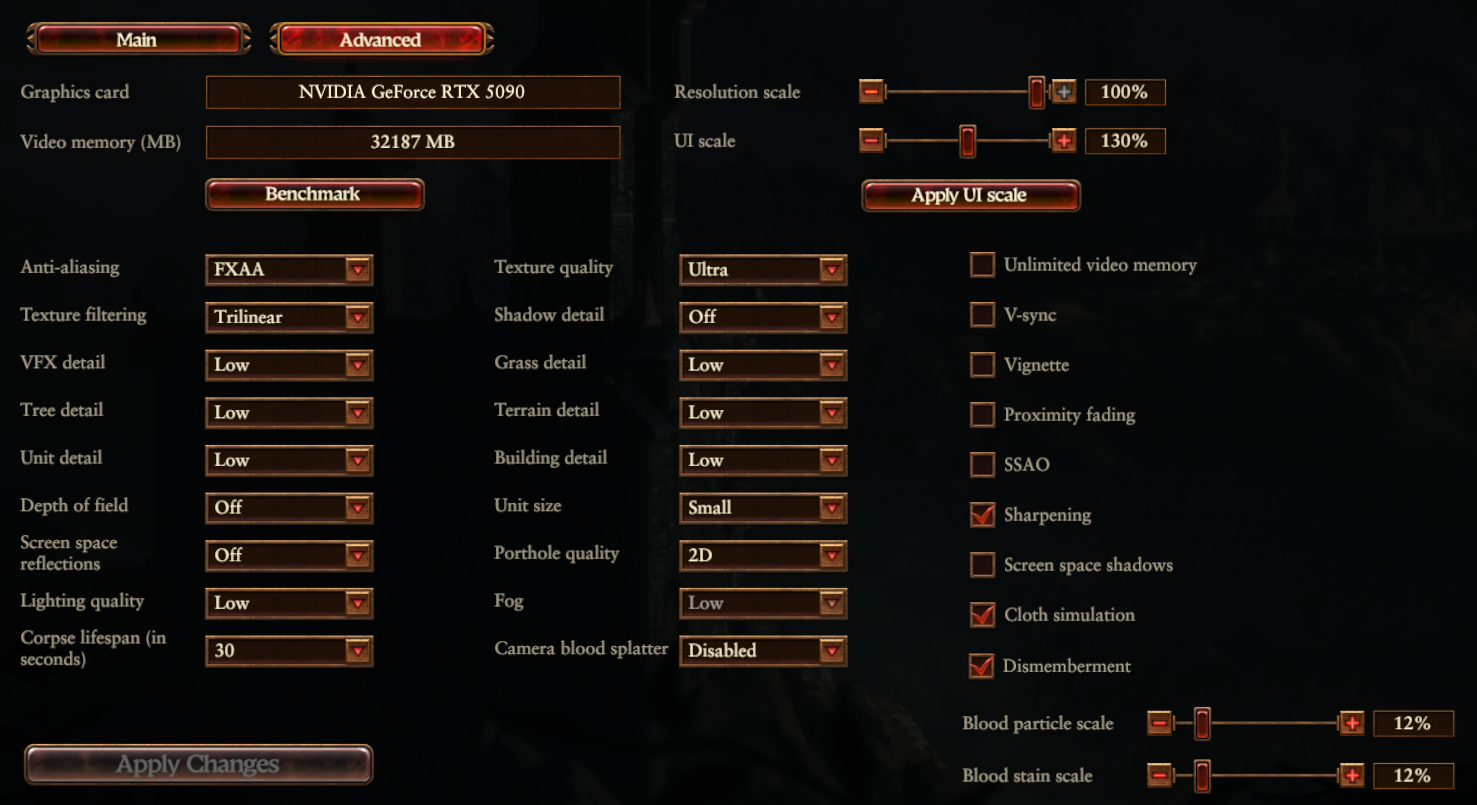
LOW PRESET:
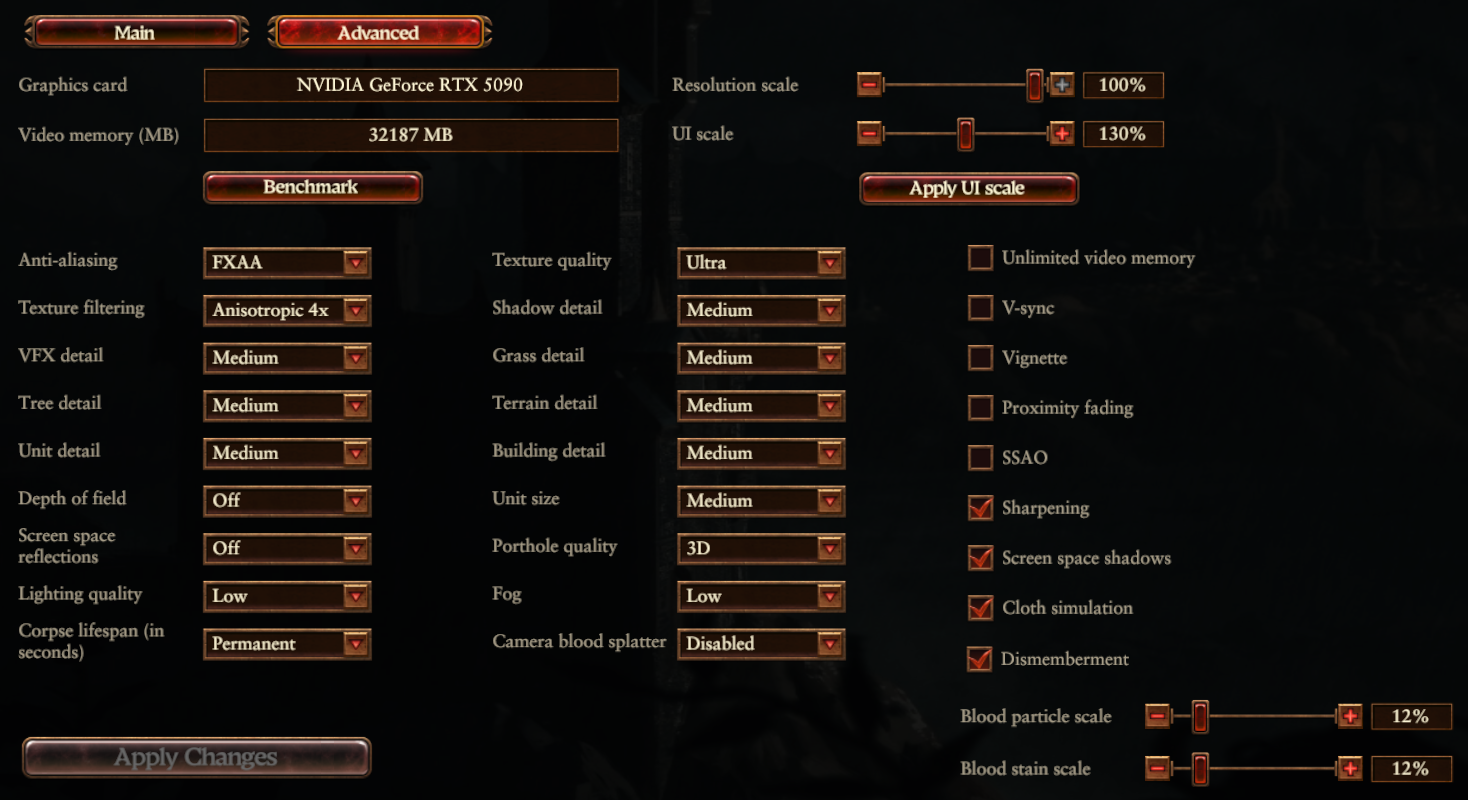
MEDIUM PRESET:
HIGH PRESET:
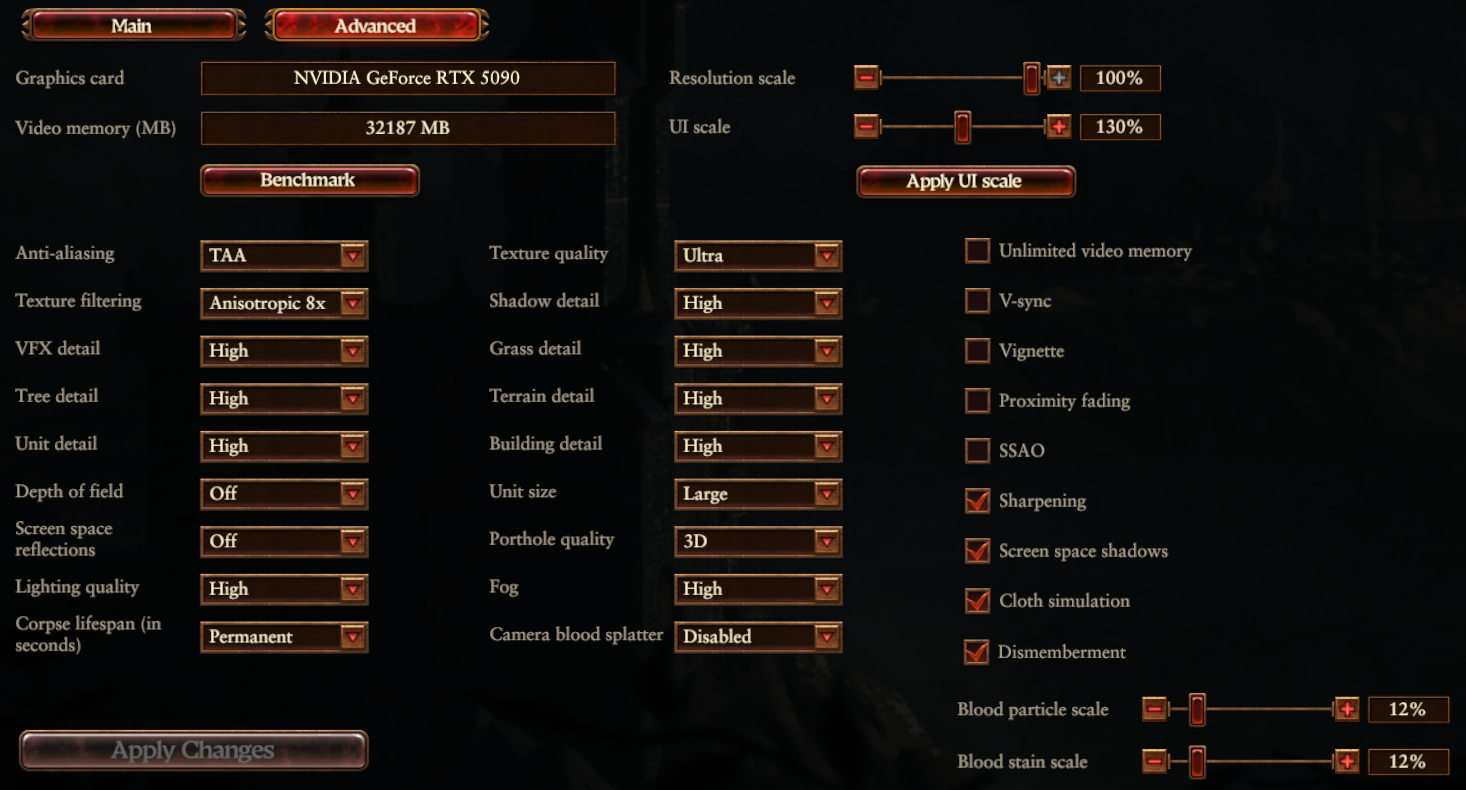
ULTRA PRESET:
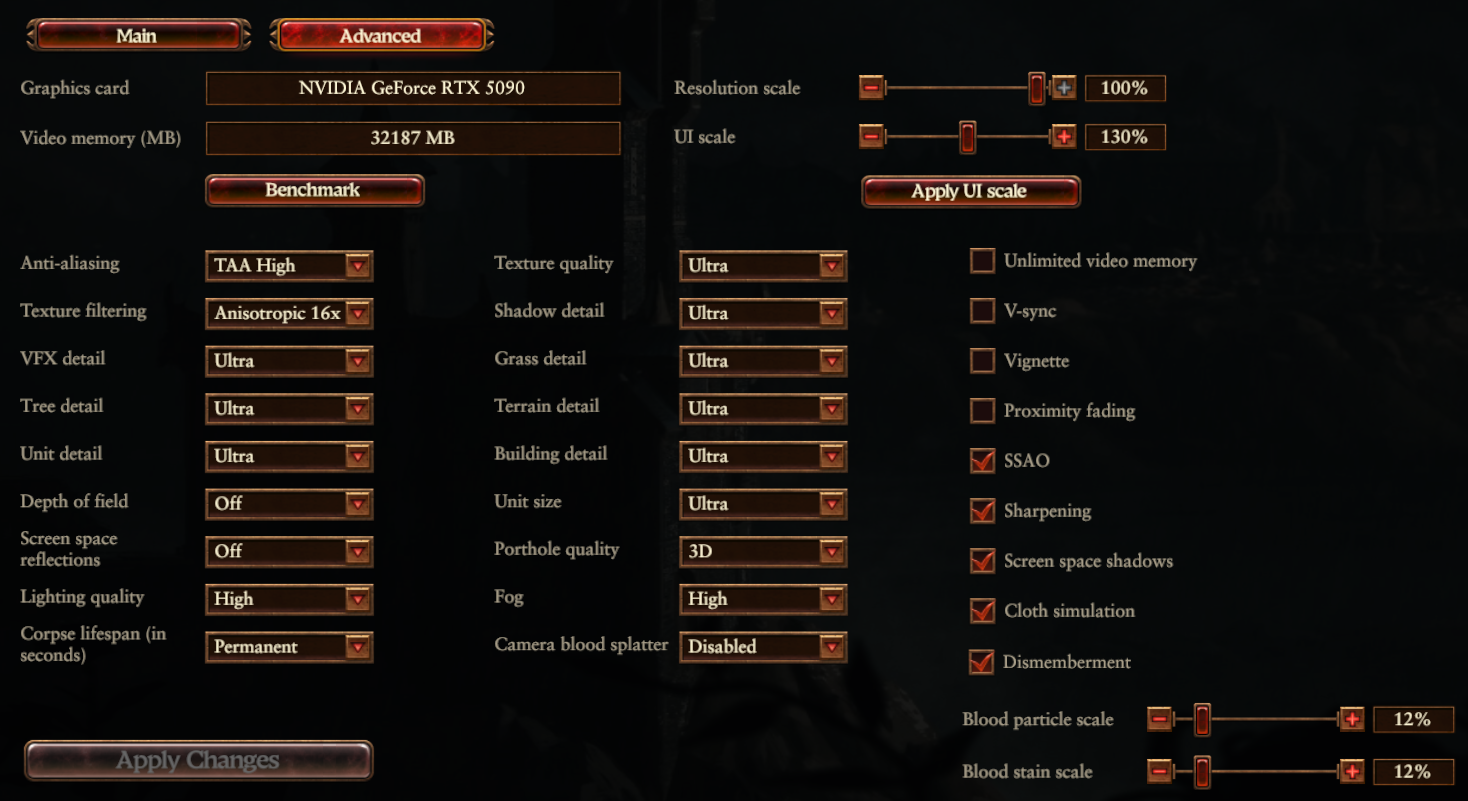
MAXED OUT:
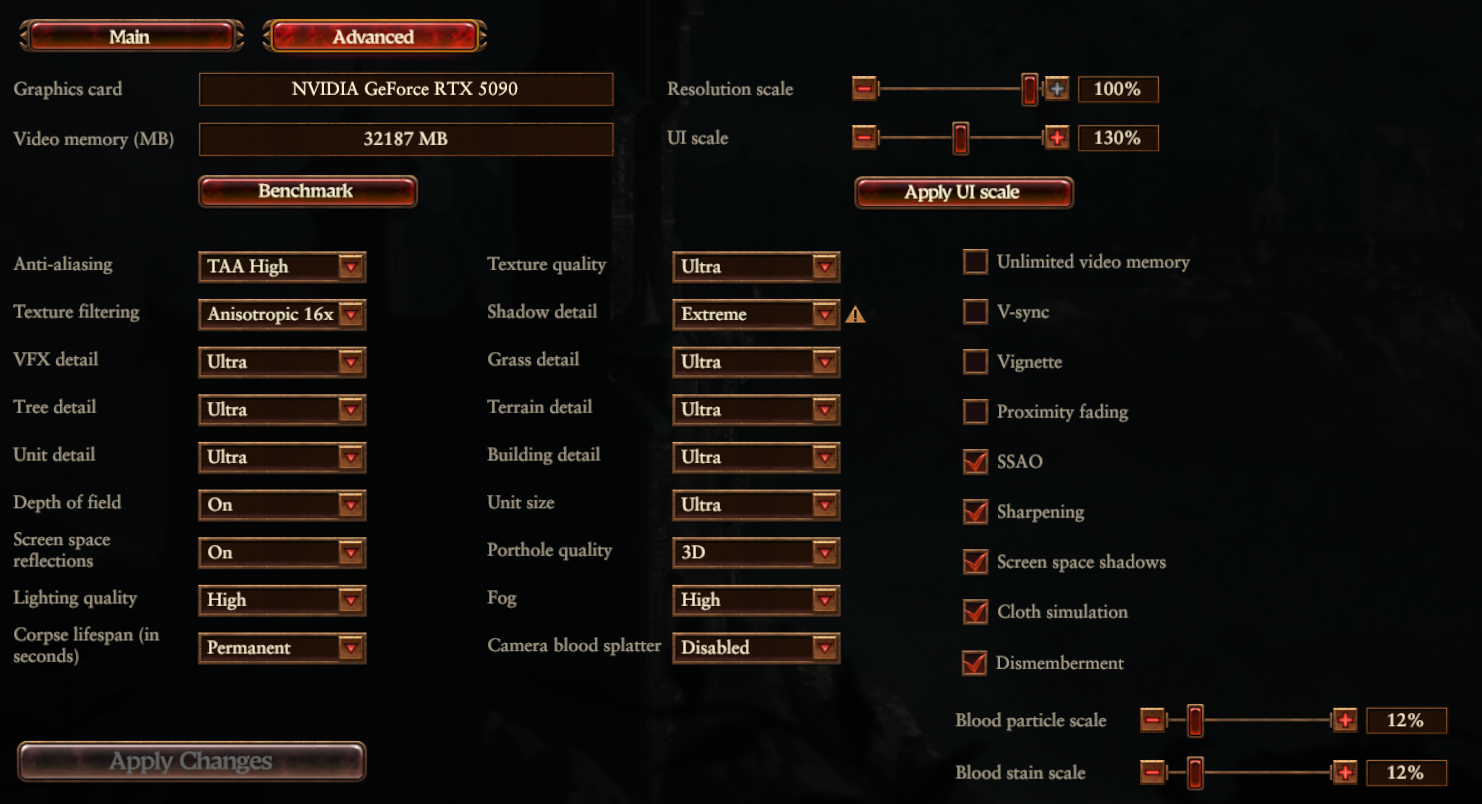
PRESETS
Low Preset - 293 (240, 356) - Average 91.5% increase over MAX
Medium Preset - 243 (161, 308) - Average 58.82% increase over MAX
High Preset - 190 (144, 227) - Average 24.18% increase over MAX
Ultra Preset - 172 (125, 204) - Average 12.42% increase over MAX
MAXED OUT - 153 (118, 181)
ANTI-ALIASING
Off - 164 (130, 194) - Average 7.19% increase over MAX
FXAA - 164 (127, 192) - Average 7.19% increase over MAX
TAA - 158 (128, 183) - Average 3.27% increase over MAX
TEXTURE FILTERING
Trilinear - 160 (122, 184) - Average 4.58% increase over MAX
2x - 158 (123, 183) - Average 3.27% increase over MAX
4x - 158 (117, 183) - Average 3.27% increase over MAX
8x - 157 (116, 182) - Average 2.61% increase over MAX
VFX DETAIL
Low - 163 (133, 186) - Average 9.80% increase over MAX
Medium - 162 (125, 186) - Average 5.88% increase over MAX
High - 157 (125, 180) - Average 2.61% increase over MAX
TREE DETAIL
Low - 163 (135, 185) - Average 6.54% increase over MAX
Medium - 160 (135, 181) - Average 4.58% increase over MAX
High - 158 (123, 180) - Average 3.27% increase over MAX
DEPTH OF FIELD
Off - 160 (131, 184) - Average 4.58% increase over MAX
SCREEN SPACE REFLECTIONS
Off - 161 (123, 189) - Average 5.23% increase over MAX
LIGHTING QUALITY
Low - 165 (135, 193) - Average 7.84% increase over MAX
TEXTURE QUALITY
(differences between settings may be drastically different depending on the amount of VRAM your graphics card has)
Low - 160 (124, 184) - Average 4.58% increase over MAX - (Used 6.4GB VRAM max)
Medium - 159 (128, 182) - Average 3.92% increase over MAX - (Used 7GB VRAM max)
High - 158 (128, 181) - Average 3.27% increase over MAX - (Used 8.6GB VRAM max)
Ultra - (Used 11GB VRAM max)
SHADOW DETAIL
Off - 178 (128, 205) (Fog setting is locked to low when off) - Average 16.34% increase over MAX
Medium - 172 (127, 198) - Average 12.42% increase over MAX
High - 168 (127, 191) - Average 9.80% increase over MAX
Ultra - 165 (134, 189) - Average 7.84% increase over MAX
GRASS DETAIL
Low - 157 (123, 180) - Average 2.61% increase over MAX
Medium - 155 (123, 181) - Average 1.31% increase over MAX
High - 155 (123, 179) - Average 1.31% increase over MAX
TERRAIN DETAIL
Low - 159 (123, 183) - Average 3.92% increase over MAX
Medium - 156 (123, 180) - Average 1.96% increase over MAX
High - 154 (119, 180) - Average 0.65% increase over MAX
BUILDING DETAIL
Low - 158 (133, 181) - Average 3.27% increase over MAX
Medium - 158 (133, 180) - Average 3.27% increase over MAX
High - 158 (133, 179) - Average 3.27% increase over MAX
FOG
Low - 157 (124, 183) - Average 2.61% increase over MAX
SSAO
Off - 162 (124, 187) - Average 5.88% increase over MAX
SHARPENING
On - 157 (127, 180) - Average 2.61% increase over MAX
SCREEN SPACE SHADOWS
Off - 157 (117, 184) - Average 2.61% increase over MAX
(Compare each setting with the MAXED OUT preset result to see what affect on FPS each has). (The % shows the increase moving to that setting has over MAXED OUT).
Results are shown as: AVERAGE (LOWEST, HIGHEST).
LOW PRESET:
MEDIUM PRESET:
HIGH PRESET:
ULTRA PRESET:
MAXED OUT:
PRESETS
Low Preset - 293 (240, 356) - Average 91.5% increase over MAX
Medium Preset - 243 (161, 308) - Average 58.82% increase over MAX
High Preset - 190 (144, 227) - Average 24.18% increase over MAX
Ultra Preset - 172 (125, 204) - Average 12.42% increase over MAX
MAXED OUT - 153 (118, 181)
ANTI-ALIASING
Off - 164 (130, 194) - Average 7.19% increase over MAX
FXAA - 164 (127, 192) - Average 7.19% increase over MAX
TAA - 158 (128, 183) - Average 3.27% increase over MAX
TEXTURE FILTERING
Trilinear - 160 (122, 184) - Average 4.58% increase over MAX
2x - 158 (123, 183) - Average 3.27% increase over MAX
4x - 158 (117, 183) - Average 3.27% increase over MAX
8x - 157 (116, 182) - Average 2.61% increase over MAX
VFX DETAIL
Low - 163 (133, 186) - Average 9.80% increase over MAX
Medium - 162 (125, 186) - Average 5.88% increase over MAX
High - 157 (125, 180) - Average 2.61% increase over MAX
TREE DETAIL
Low - 163 (135, 185) - Average 6.54% increase over MAX
Medium - 160 (135, 181) - Average 4.58% increase over MAX
High - 158 (123, 180) - Average 3.27% increase over MAX
DEPTH OF FIELD
Off - 160 (131, 184) - Average 4.58% increase over MAX
SCREEN SPACE REFLECTIONS
Off - 161 (123, 189) - Average 5.23% increase over MAX
LIGHTING QUALITY
Low - 165 (135, 193) - Average 7.84% increase over MAX
TEXTURE QUALITY
(differences between settings may be drastically different depending on the amount of VRAM your graphics card has)
Low - 160 (124, 184) - Average 4.58% increase over MAX - (Used 6.4GB VRAM max)
Medium - 159 (128, 182) - Average 3.92% increase over MAX - (Used 7GB VRAM max)
High - 158 (128, 181) - Average 3.27% increase over MAX - (Used 8.6GB VRAM max)
Ultra - (Used 11GB VRAM max)
SHADOW DETAIL
Off - 178 (128, 205) (Fog setting is locked to low when off) - Average 16.34% increase over MAX
Medium - 172 (127, 198) - Average 12.42% increase over MAX
High - 168 (127, 191) - Average 9.80% increase over MAX
Ultra - 165 (134, 189) - Average 7.84% increase over MAX
GRASS DETAIL
Low - 157 (123, 180) - Average 2.61% increase over MAX
Medium - 155 (123, 181) - Average 1.31% increase over MAX
High - 155 (123, 179) - Average 1.31% increase over MAX
TERRAIN DETAIL
Low - 159 (123, 183) - Average 3.92% increase over MAX
Medium - 156 (123, 180) - Average 1.96% increase over MAX
High - 154 (119, 180) - Average 0.65% increase over MAX
BUILDING DETAIL
Low - 158 (133, 181) - Average 3.27% increase over MAX
Medium - 158 (133, 180) - Average 3.27% increase over MAX
High - 158 (133, 179) - Average 3.27% increase over MAX
FOG
Low - 157 (124, 183) - Average 2.61% increase over MAX
SSAO
Off - 162 (124, 187) - Average 5.88% increase over MAX
SHARPENING
On - 157 (127, 180) - Average 2.61% increase over MAX
SCREEN SPACE SHADOWS
Off - 157 (117, 184) - Average 2.61% increase over MAX
Battle Settings
BATTLE BENCHMARK with the MAXED OUT preset (shown below) as a baseline.
(Compare each setting with the MAXED OUT preset result to see what effect on FPS each has). (The % shows the increase moving to that setting has over MAXED OUT).
Results are shown as: AVERAGE (LOWEST, HIGHEST).
MAXED OUT:
PRESETS
Low - (, )
Medium - (, )
High - (, )
Ultra - (, )
MAXED OUT - (, )
ANTI-ALIASING
Off - (, )
FXAA - (, )
TAA - (, )
TEXTURE FILTERING
Trilinear - (, )
2x - (, )
4x - (, )
8x - (, )
VFX Detail
Low - (, )
Medium - (, )
High - (, )
TREE DETAIL
Low - (, )
Medium - (, )
High - (, )
UNIT DETAIL
Low - (, )
Medium - (, )
High - (, )
DEPTH OF FIELD
Off - (, )
SCREEN SPACE REFLECTIONS
Off - (, )
LIGHTING QUALITY
Low - (, )
TEXTURE QUALITY
(differences between settings may be drastically different depending on the amount of VRAM your graphics card has)
Low - (, )
Medium - (, )
High - (, )
SHADOW DETAIL
Off - (, ) (Fog setting is locked to low when off)
Medium - (, )
High - (, )
Ultra - (, )
GRASS DETAIL
Low - (, )
Medium - (, )
High - (, )
TERRAIN DETAIL
Low - (, )
Medium - (, )
High - (, )
BUILDING DETAIL
Low - (, )
Medium - (, )
High - (, )
UNIT SIZE
Low - (, )
Medium - (, )
Large - (, )
FOG
Low - (, )
SSAO
Off - (, )
SCREEN SPACE SHADOWS
Off - (, )
CLOTH SIMULATION
Off - (, )
(Compare each setting with the MAXED OUT preset result to see what effect on FPS each has). (The % shows the increase moving to that setting has over MAXED OUT).
Results are shown as: AVERAGE (LOWEST, HIGHEST).
MAXED OUT:
PRESETS
Low - (, )
Medium - (, )
High - (, )
Ultra - (, )
MAXED OUT - (, )
ANTI-ALIASING
Off - (, )
FXAA - (, )
TAA - (, )
TEXTURE FILTERING
Trilinear - (, )
2x - (, )
4x - (, )
8x - (, )
VFX Detail
Low - (, )
Medium - (, )
High - (, )
TREE DETAIL
Low - (, )
Medium - (, )
High - (, )
UNIT DETAIL
Low - (, )
Medium - (, )
High - (, )
DEPTH OF FIELD
Off - (, )
SCREEN SPACE REFLECTIONS
Off - (, )
LIGHTING QUALITY
Low - (, )
TEXTURE QUALITY
(differences between settings may be drastically different depending on the amount of VRAM your graphics card has)
Low - (, )
Medium - (, )
High - (, )
SHADOW DETAIL
Off - (, ) (Fog setting is locked to low when off)
Medium - (, )
High - (, )
Ultra - (, )
GRASS DETAIL
Low - (, )
Medium - (, )
High - (, )
TERRAIN DETAIL
Low - (, )
Medium - (, )
High - (, )
BUILDING DETAIL
Low - (, )
Medium - (, )
High - (, )
UNIT SIZE
Low - (, )
Medium - (, )
Large - (, )
FOG
Low - (, )
SSAO
Off - (, )
SCREEN SPACE SHADOWS
Off - (, )
CLOTH SIMULATION
Off - (, )
Tweaks
Other tweaks I've done include:
(Don't expect to magically double your FPS with the following - it may help stuttering or do nothing at all)
(Don't expect to magically double your FPS with the following - it may help stuttering or do nothing at all)
- Fresh Windows 11 install,
- Disabled the Steam overlay,
- Excluding the game .exe and folder from Windows Security,
- Fresh Nvidia graphics driver install using DDU (Display Driver Uninstaller),
https://www.wagnardsoft.com/
https://www.nvidia.co.uk/Download/index.aspx?lang=en-uk - Disabled Nvidia Ansel,
- Changed 'Shader Cache Size' to 100GB in the Nvidia Control Panel,
- Disabled unnecessary services using services.msc,
- Hardware-accelerated GPU scheduling set to on,
- Windows Game Mode set to on,
- Excused the .exe from Control Flow Guard (CFG),
- Using a third party mod manager for any mod:
https://github.com/Shazbot/WH3-Mod-Manager/releases
G-Sync
If you use a G-Sync monitor, read this guide on how to correctly use it:
https://blurbusters.com/gsync/gsync101-input-lag-tests-and-settings/
TLDR:
https://blurbusters.com/gsync/gsync101-input-lag-tests-and-settings/
TLDR:
- Enable G-Sync,
- Enable Vsync in Nvidia Control Panel,
- Disable Vsync in game settings,
- Cap FPS to at least 3 below your monitor's refresh rate with either Nvidia Control Panel or RTTS,
- Set Low Latency Mode to on in Nvidia Control Panel.
Mods
Here is a list of my essential mods for Warhammer 3 (and other Total War/strategy games)
https://steamcommunity.com/id/DavidDaveR/myworkshopfiles/?section=collections
The mod list may change now and again with new mods or to remove old ones.
Use this mod manager instead of the Total War Launcher:
https://github.com/Shazbot/WH3-Mod-Manager/releases
WITH MY 4K MOD PACK
126 (95, 160) - Average 17.65% WORSE over MAX
https://steamcommunity.com/id/DavidDaveR/myworkshopfiles/?section=collections
The mod list may change now and again with new mods or to remove old ones.
Use this mod manager instead of the Total War Launcher:
https://github.com/Shazbot/WH3-Mod-Manager/releases
WITH MY 4K MOD PACK
126 (95, 160) - Average 17.65% WORSE over MAX