

Remove Blur When Aiming (Depth Of Field)
 MisterTenBel0w
(165 ratings)
Oct 10, 2025 @ 1:21pm22,881204
Gameplay BasicsModding or ConfigurationMultiplayerEnglish
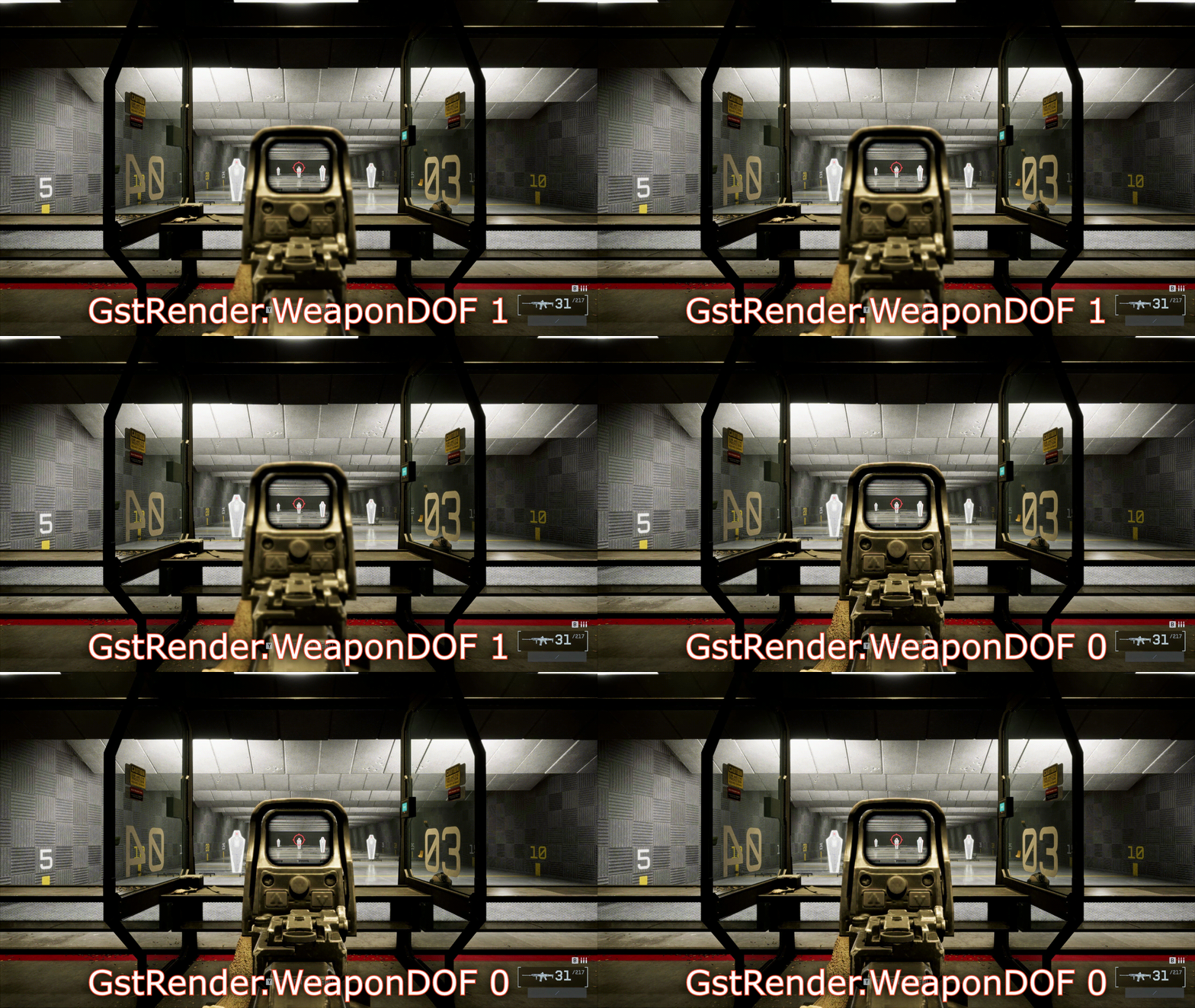
STEP 1:
Go to this directory: C:\Users\YourUsername\Documents\Battlefield 6\settings\steam
STEP 2:
Right click and open the file named PROFSAVE_profile with Notepad.
STEP 3:
Press CTRL+F to bring up the search function and type in GstRender.WeaponDOF, and press enter.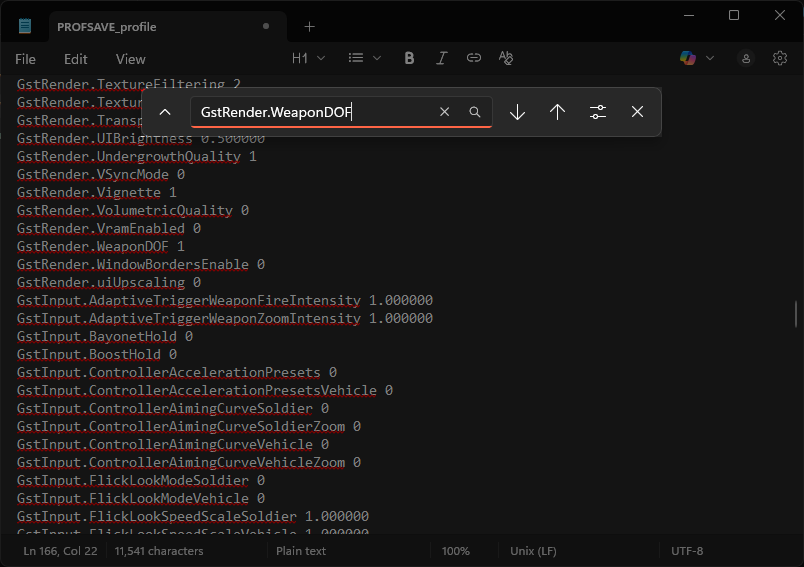
STEP 4:
Once you locate it, change the value from 1 to 0, and save the notepad.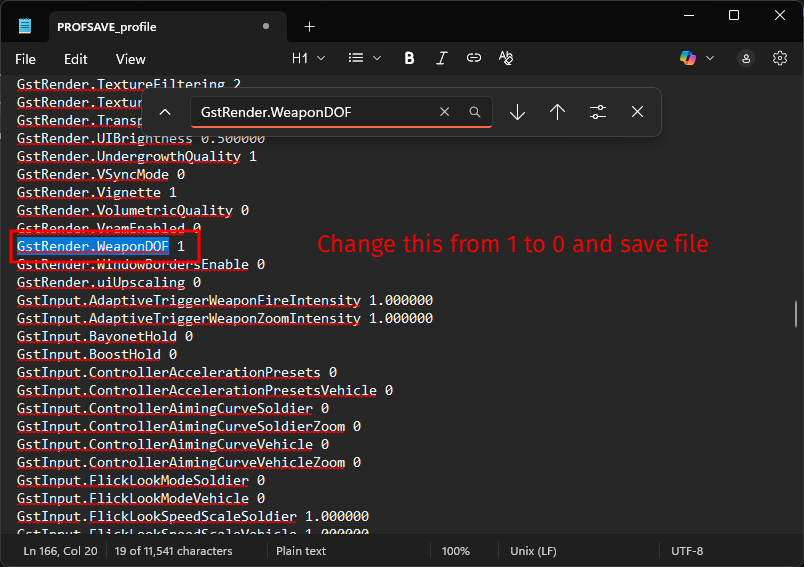
STEP 5:
To make sure that any future updates don't revert our config, right click the file we just modified, go to it's properties and make sure that you enable Read-Only. That's It!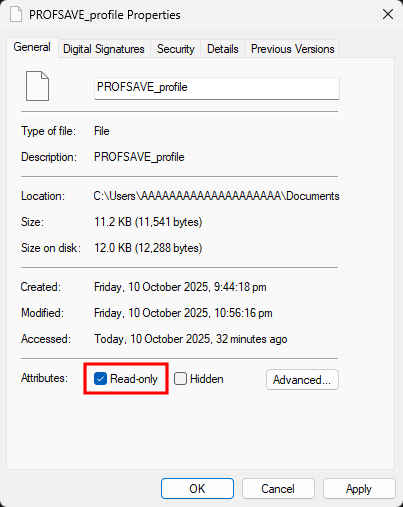
IMPORTANT NOTE:
Any changes you make to your settings in-game from here on out, every game launch will revert them back to the previous ones you had when you enabled Read-Only, so make sure to set everything the way you want it to be and then disable GstRender.WeaponDOF.