

Ultimate Performance Guide V1.1 (b4)
 ⚠️prop_toilet
(194 ratings)
Jul 7, 2024 @ 11:29pm12,605337
WalkthroughsEnglish
DISPLAY
FULLSCREEN
This eliminates stuttering and allows you to use your CPU/GPU exclusively for the game.
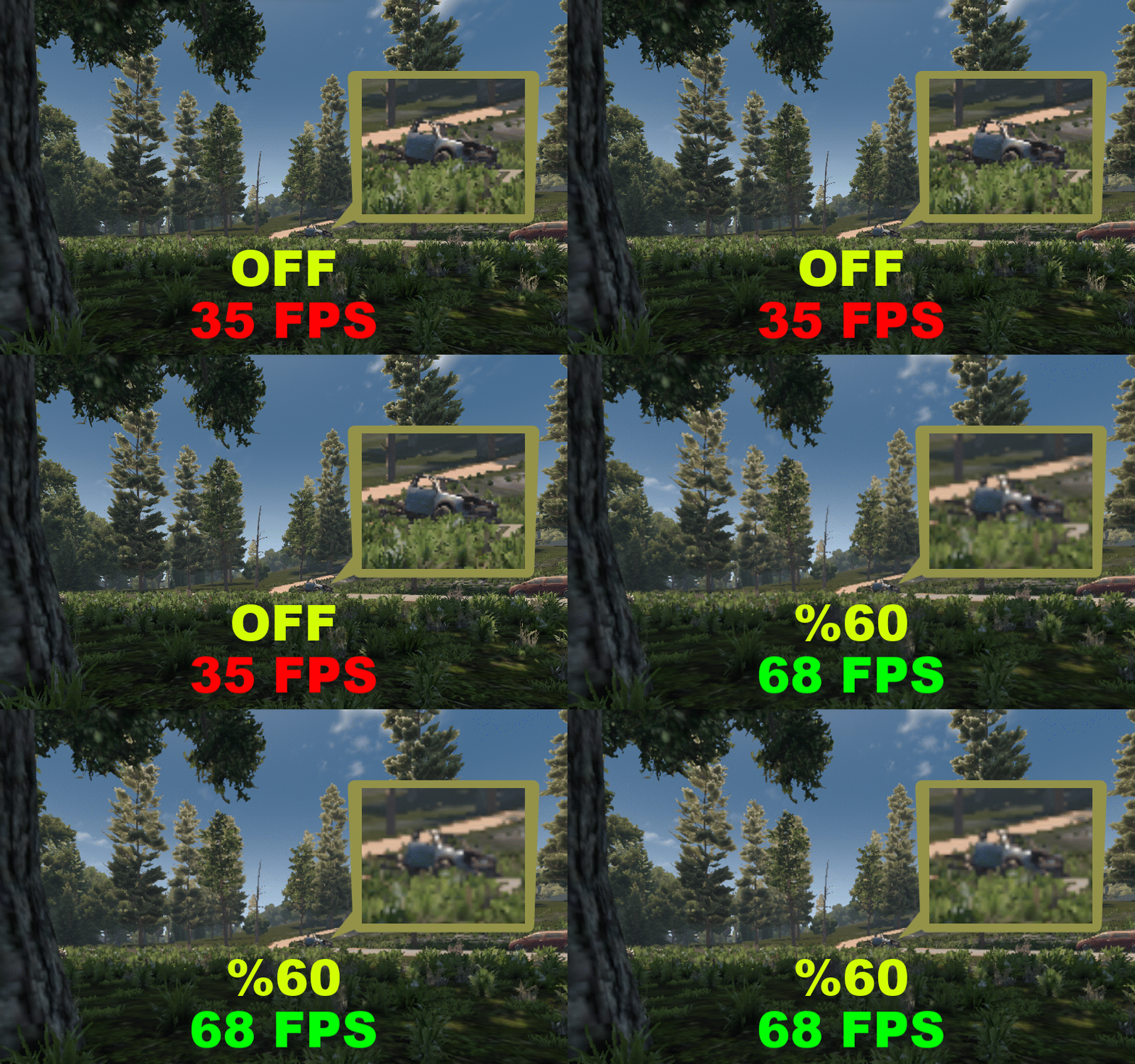
DYNAMIC RESOLUTION - HIGH FPS IMPACT
Controls the internal resolution to increase FPS, resulting in pixelated graphics.
(Similar to having a lower resolution without affecting the hud/interface)
VSYNC - LOW FPS IMPACT
Disabling this can improve latency and make the game more responsive, but it can also cause screen tearing.
The brightness and field of view you choose do not affect FPS.
QUALITY
ANTI-ALIASING - HIGH FPS IMPACT
The anti-aliasing is divided into different types.
Low, Med, and High use FXAA, which is the most basic type of anti-aliasing, but it looks poorly.
Temporal uses TAA. If you're not happy with FXAA or want a better image quality, use TAA. It may appear blurry and have flickering artifacts.
TAA is now acceptable thanks to a mod fix (check modding tab)
With the new V1.0 update TFP added FSR 1.0
FSR uses a upscaling method, render the frames at a lower resolution, then upscales them back to native applying sharpness, when you're looking for good visuals and better performance, it's pretty good
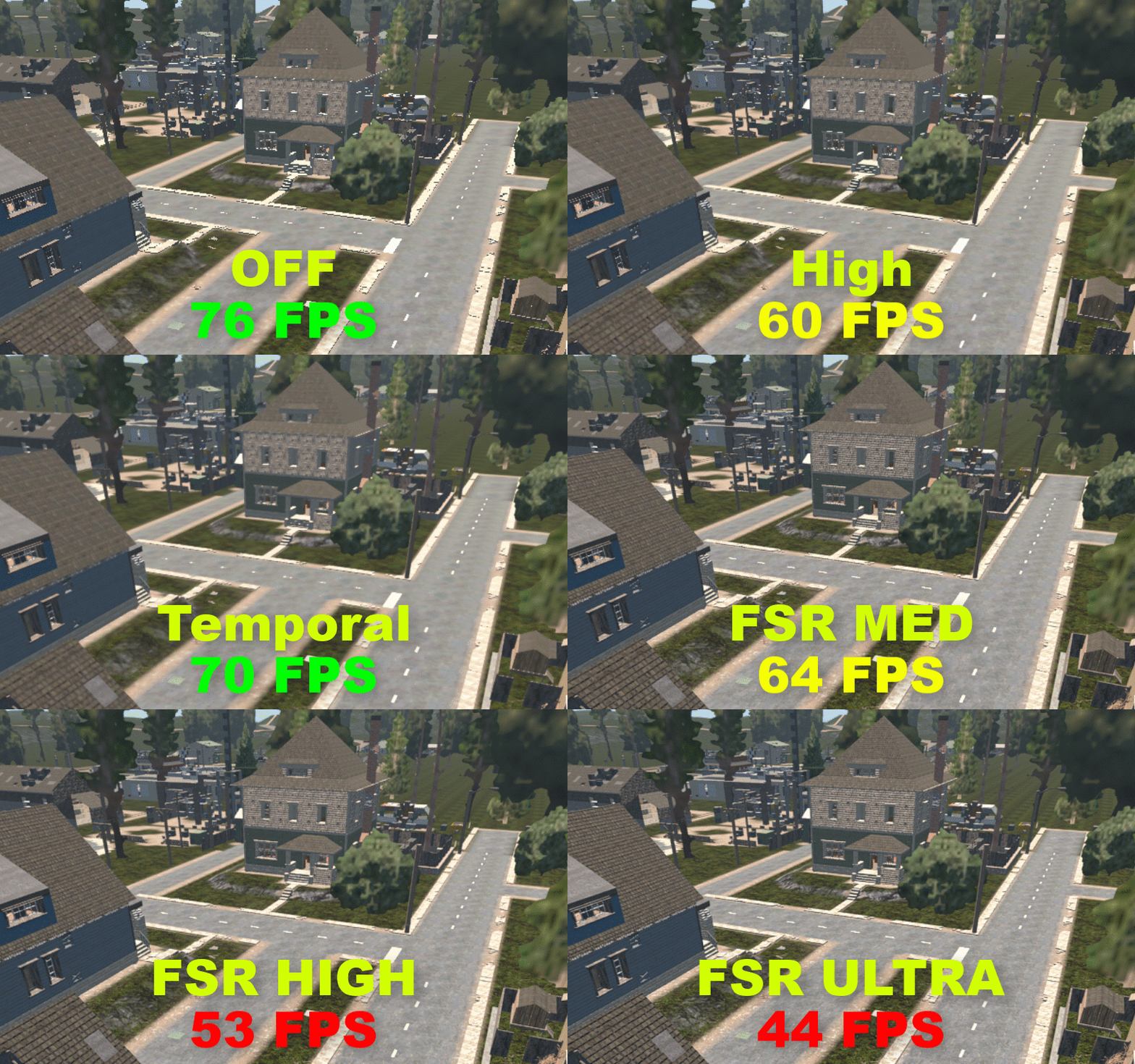
FSR QUALITY AND PERFORMANCE MAY VARY DEPENDING ON THE NATIVE RESOLUTION CONFIGURED
POTATO GRAPHICS: OFF OR FSR LOW (use the fix)
RECOMMENDED GRAPHICS: FSR MED
TEXTURE QUALITY - VARIABLE FPS IMPACT
Controls the texture size and quality, Depending of your available VRAM this options let you get more options, high textures may get you lower fps and stuttering
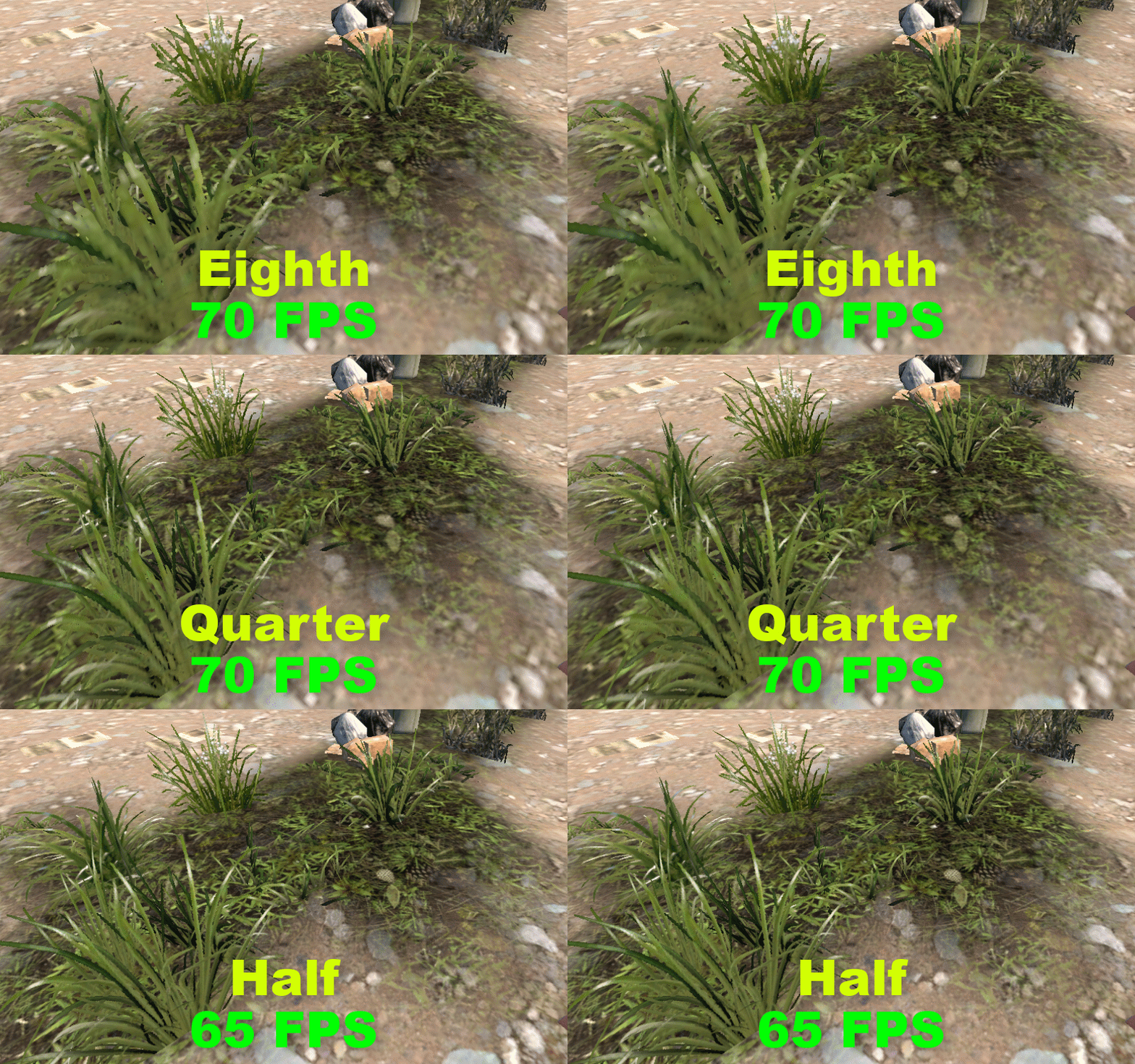
POTATO GRAPHICS: EIGHTH OR QUARTER
RECOMMENDED GRAPHICS: HALF OR FULL
TEXTURE FILTER
Controls the smoother terrain transition like grass to sand, grass to road etc, having it low makes more blocky transitions
APPARENTLY ALL OPTIONS PERFORMS THE SAME AND DOES NOT DO NOTHING
REFLECTION QUALITY - VARIABLE FPS IMPACT
Controls all reflections in the game, mostly road textures, building textures and water
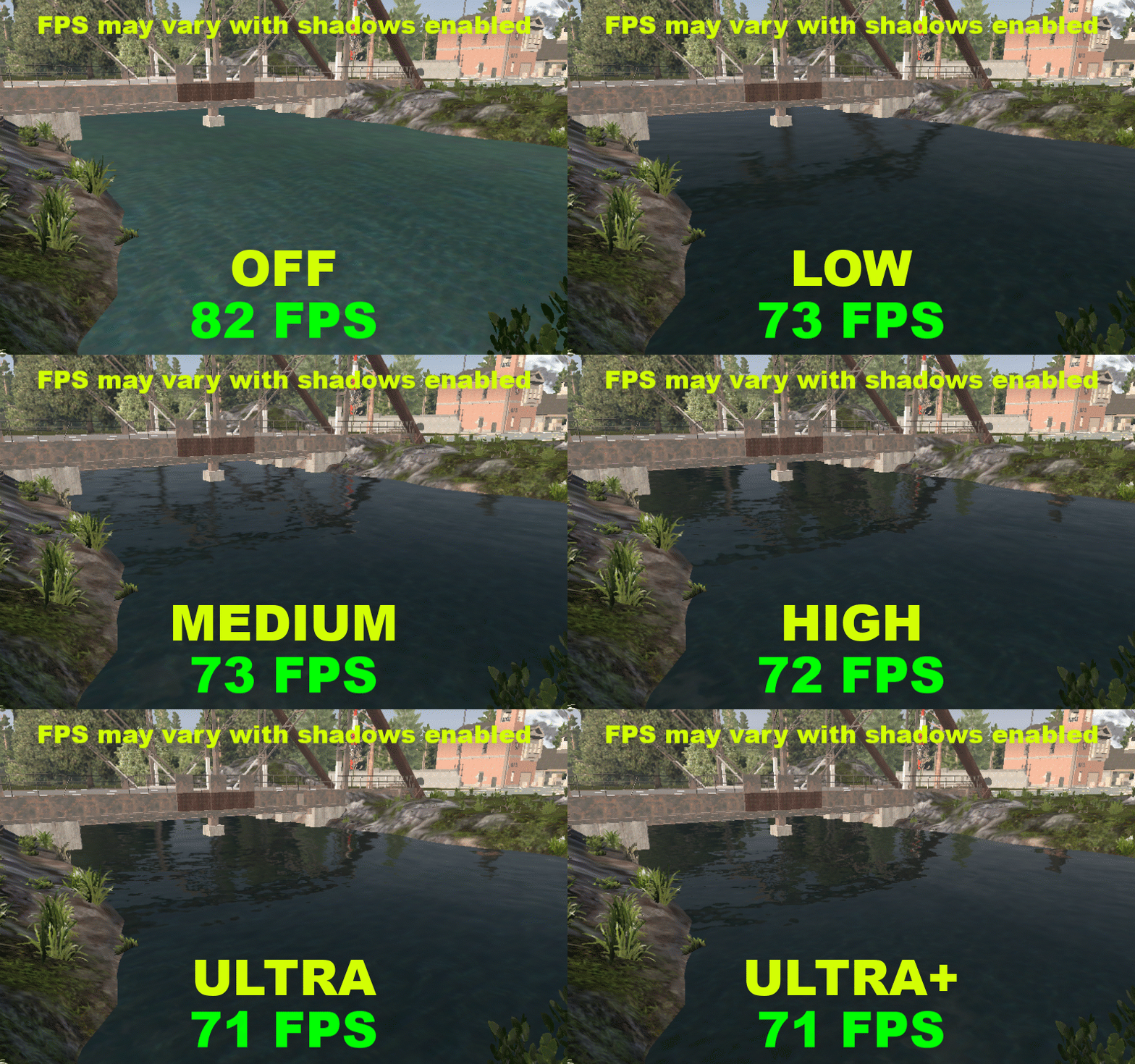
POTATO GRAPHICS: OFF OR LOW
RECOMMENDED GRAPHICS: HIGH OR ULTRA
REFLECTED SHADOWS - LOW FPS IMPACT
Controls the shadow detail on all reflective surfaces
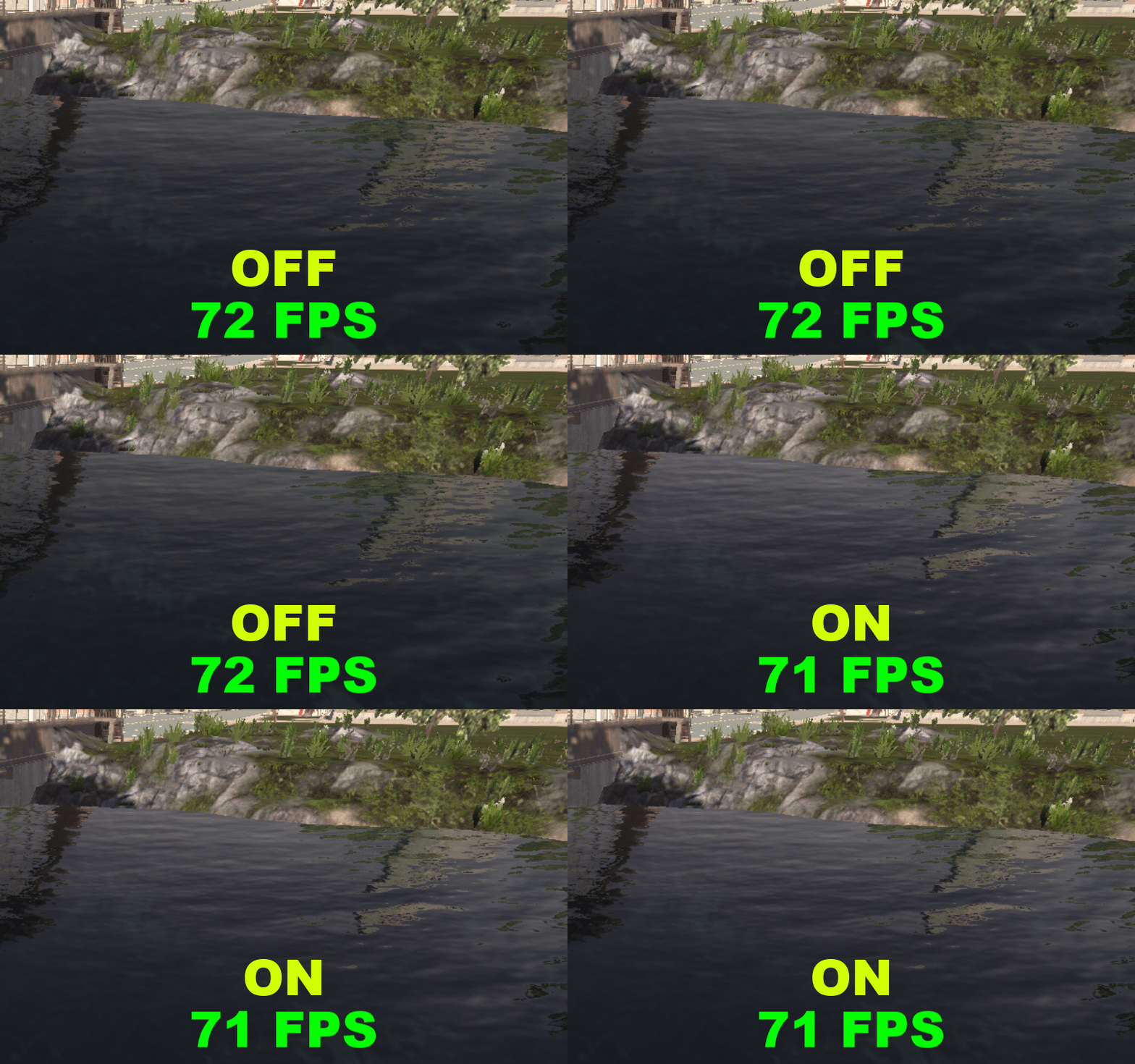
POTATO GRAPHICS: OFF
RECOMMENDED GRAPHICS: ON
SHADOWS DISTANCE - VARIABLE FPS IMPACT
Controls the real-time shadow distance
FOR BETTER QUALITY AND SHADOW DISTANCE CHECK THE MODLIST
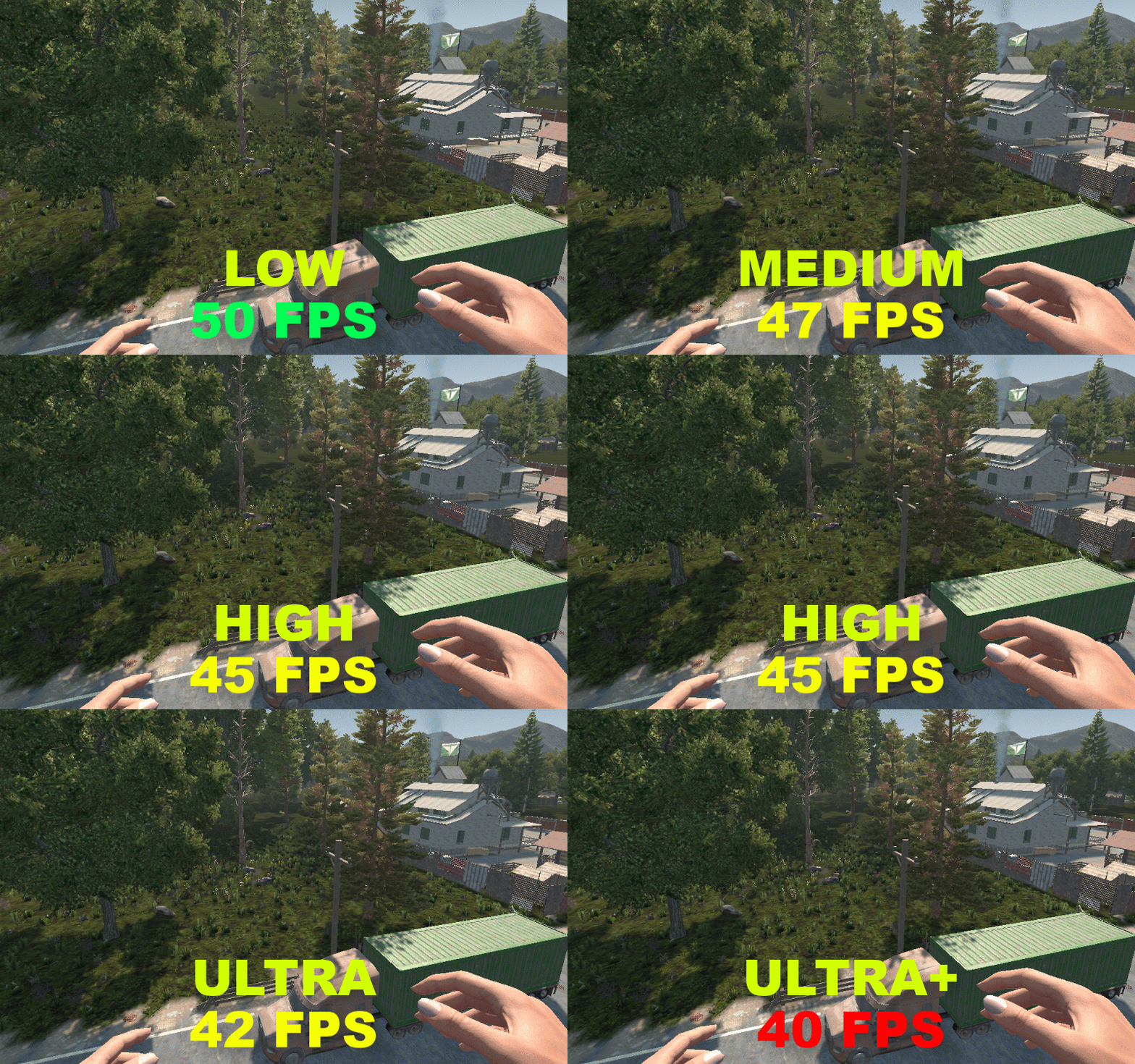
POTATO GRAPHICS: LOW
RECOMMENDED GRAPHICS: MEDIUM OR HIGH
SHADOWS QUALITY
WORK IN PROGRESS
PARTICLES
WORK IN PROGRESS
VIEW DISTANCE
WORK IN PROGRESS
LOD DISTANCE
WORK IN PROGRESS
TERRAIN QUALITY
WORK IN PROGRESS
WATER QUALITY
WORK IN PROGRESS
GRASS DISTANCE
WORK IN PROGRESS
OBJECT QUALITY
WORK IN PROGRESS
OCLUSSION
Makes the game stop rendering things that you are not looking to save GPU usage
this may cause a bug where you see poping blocks or things if u move the camera too faster
BLOOM - LOW FPS IMPACT
Adds a glow effect in lighting
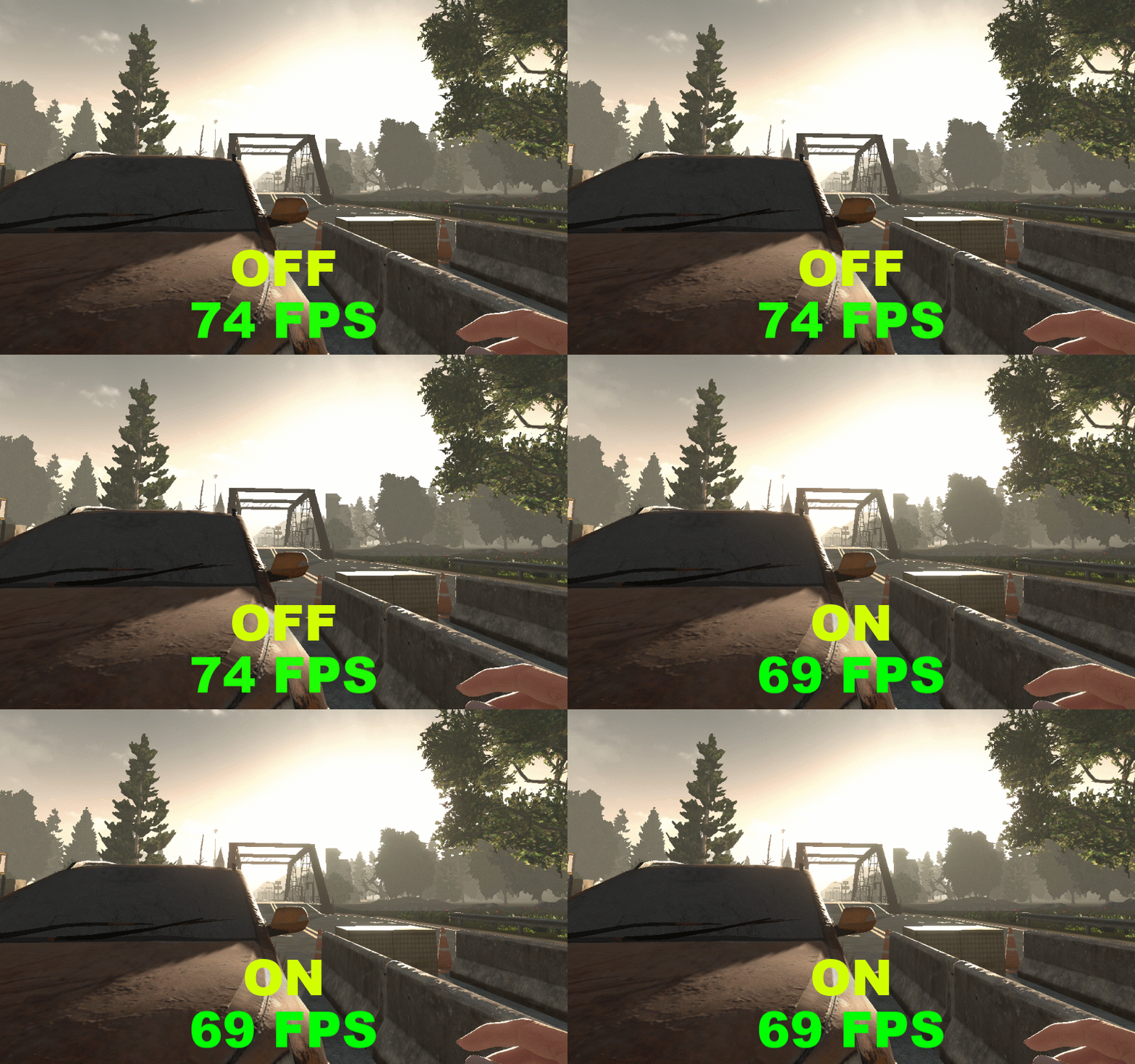
POTATO GRAPHICS: OFF
RECOMMENDED GRAPHICS: OFF
MOTION BLUR - HIGH FPS IMPACT
Controls the blur when you move the camera
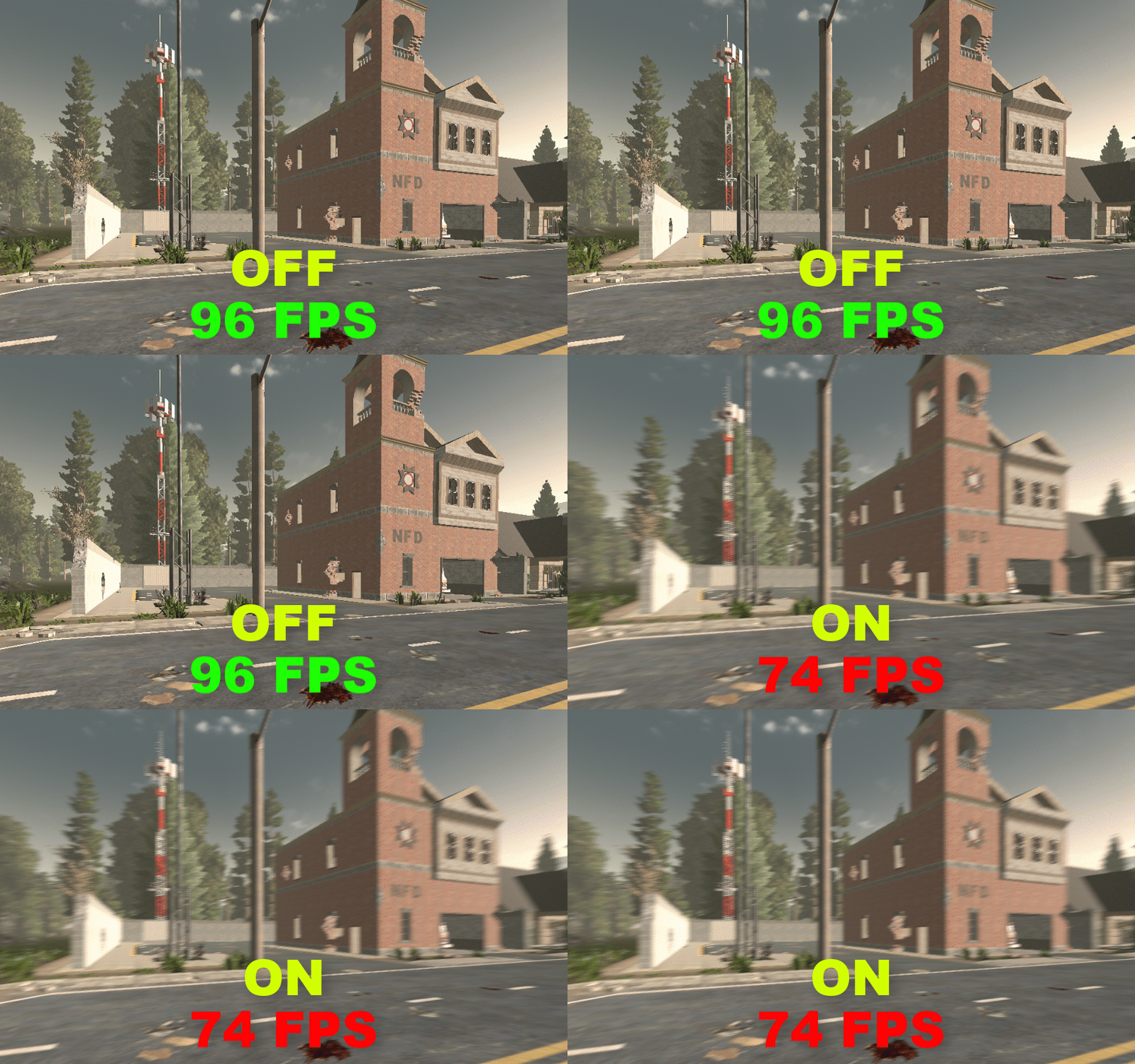
POTATO GRAPHICS: OFF
RECOMMENDED GRAPHICS: OFF
SSAO - HIGH FPS IMPACT
Controls the artificial shadows, It darkens creases, holes and surfaces that are close to each other
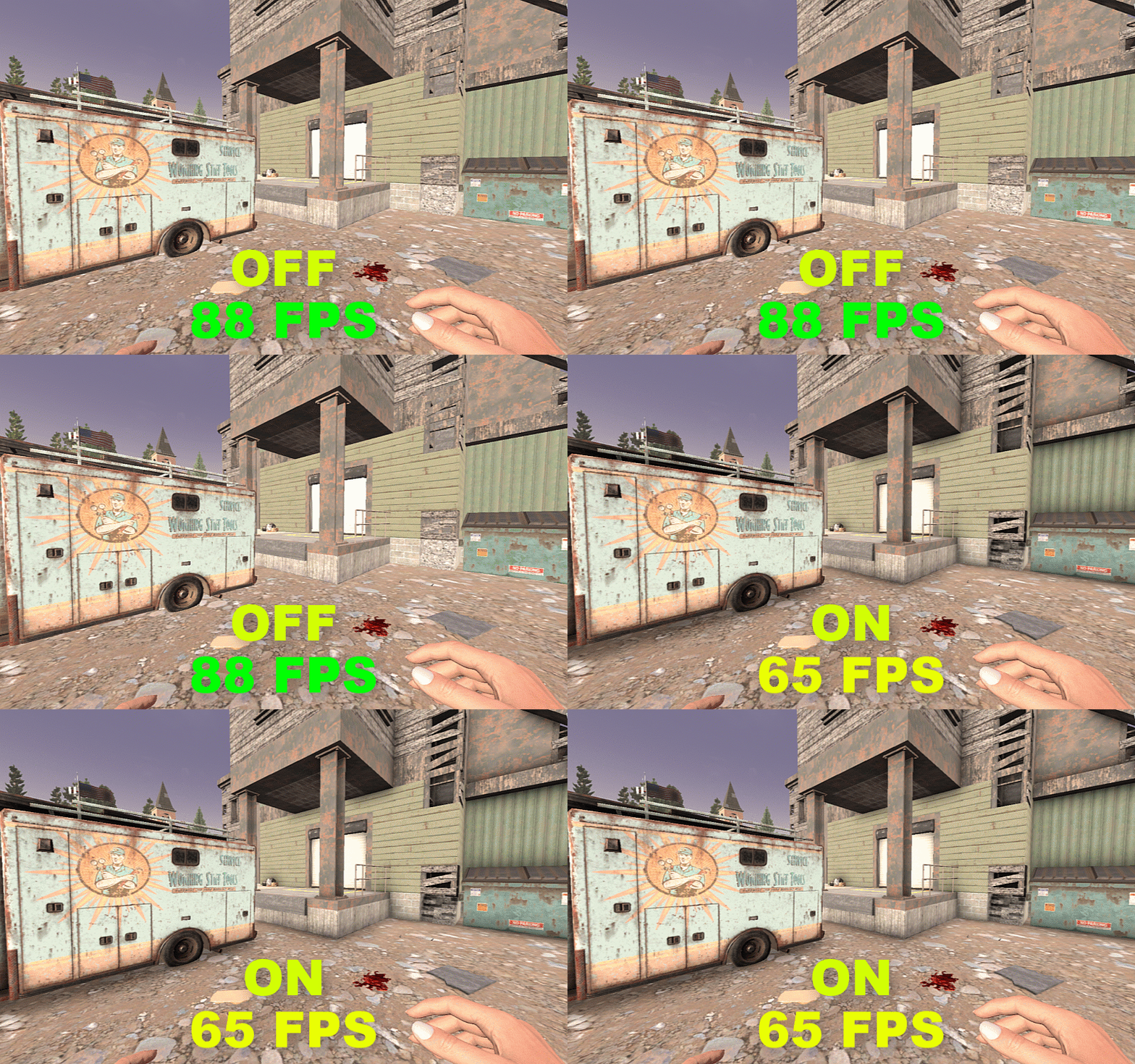
POTATO GRAPHICS: OFF
RECOMMENDED GRAPHICS: ON
SS REFLECTIONS - HIGH FPS IMPACT
Screen Space Reflection is a complex method of calculating reflections, it creates realistic details on surfaces
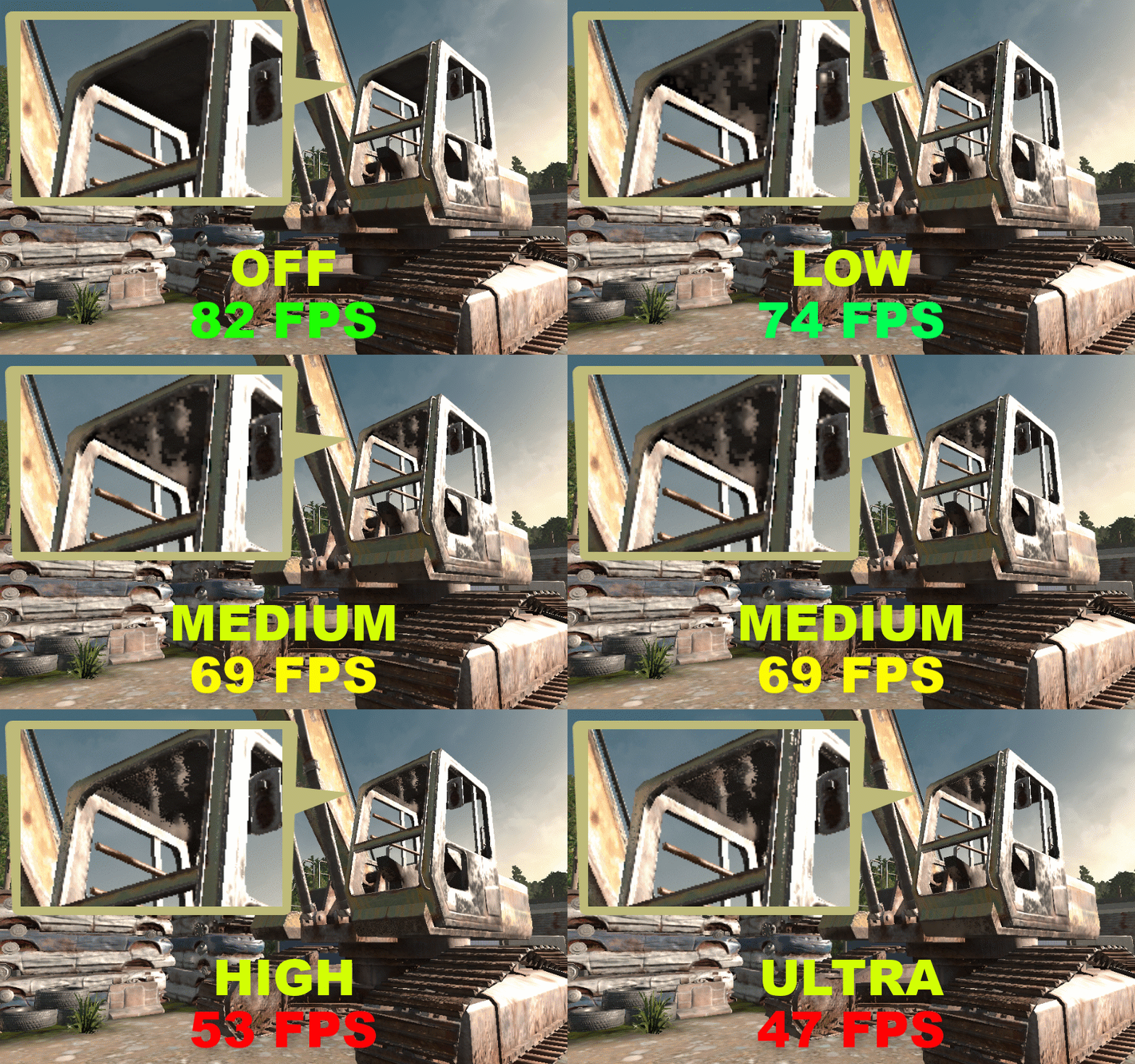
POTATO GRAPHICS: OFF
RECOMMENDED GRAPHICS: OFF OR LOW
SUN SHAFTS - LOW FPS IMPACT
Sun Shafts (or god rays in other games) simulates the radial light effect coming from the sun
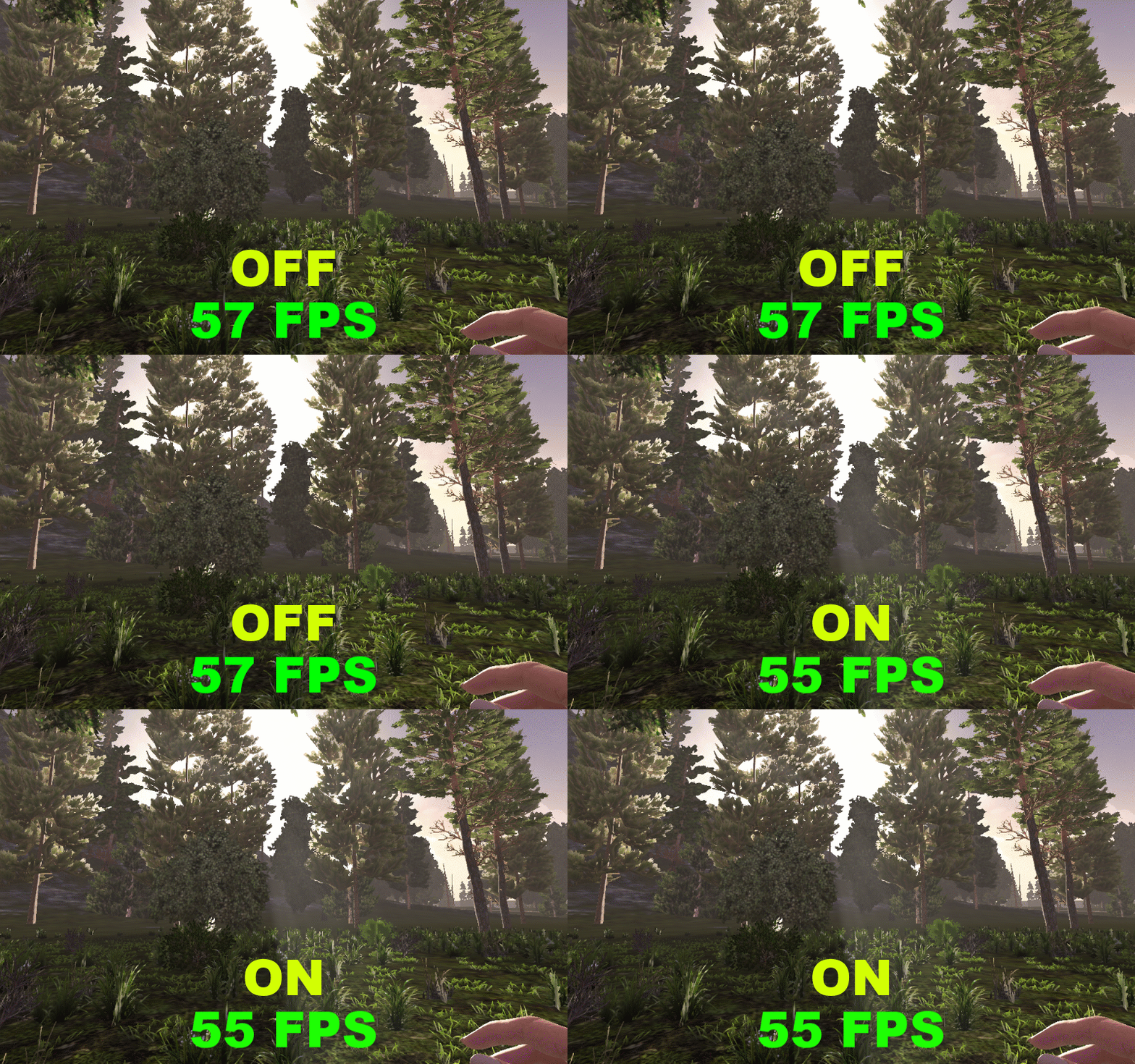
POTATO GRAPHICS: OFF
RECOMMENDED GRAPHICS: OFF
DIFFERENCES BETWEEN POTATO GRAPHICS AND RECOMMENDED
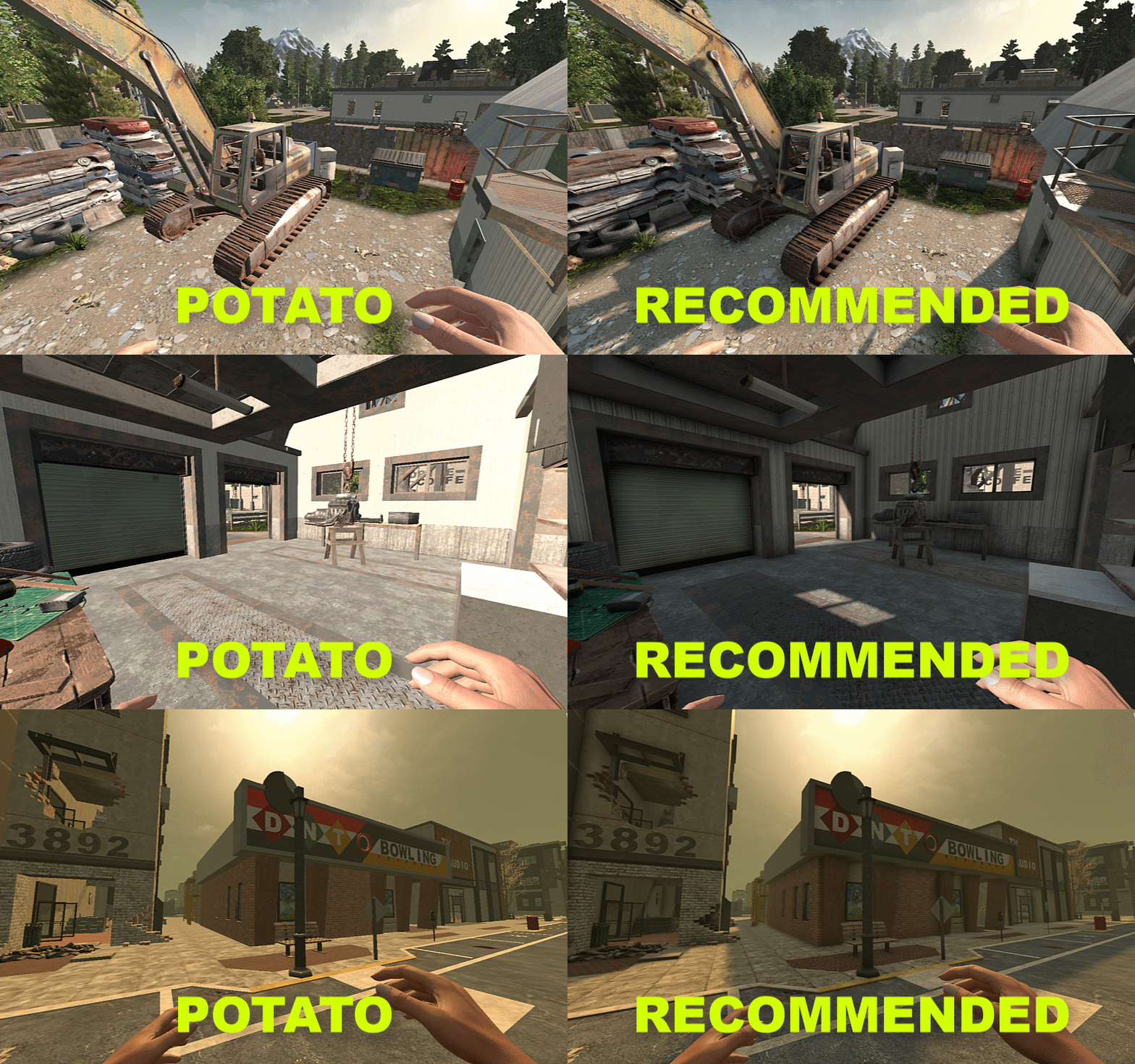
DYNAMIC MESH
DYNAMIC MESH - HIGH FPS IMPACT
This is very important. It controls pregenerated structures rendered as a mesh. Disabling or reducing this removes long distance buildings or modified structures made by a player.
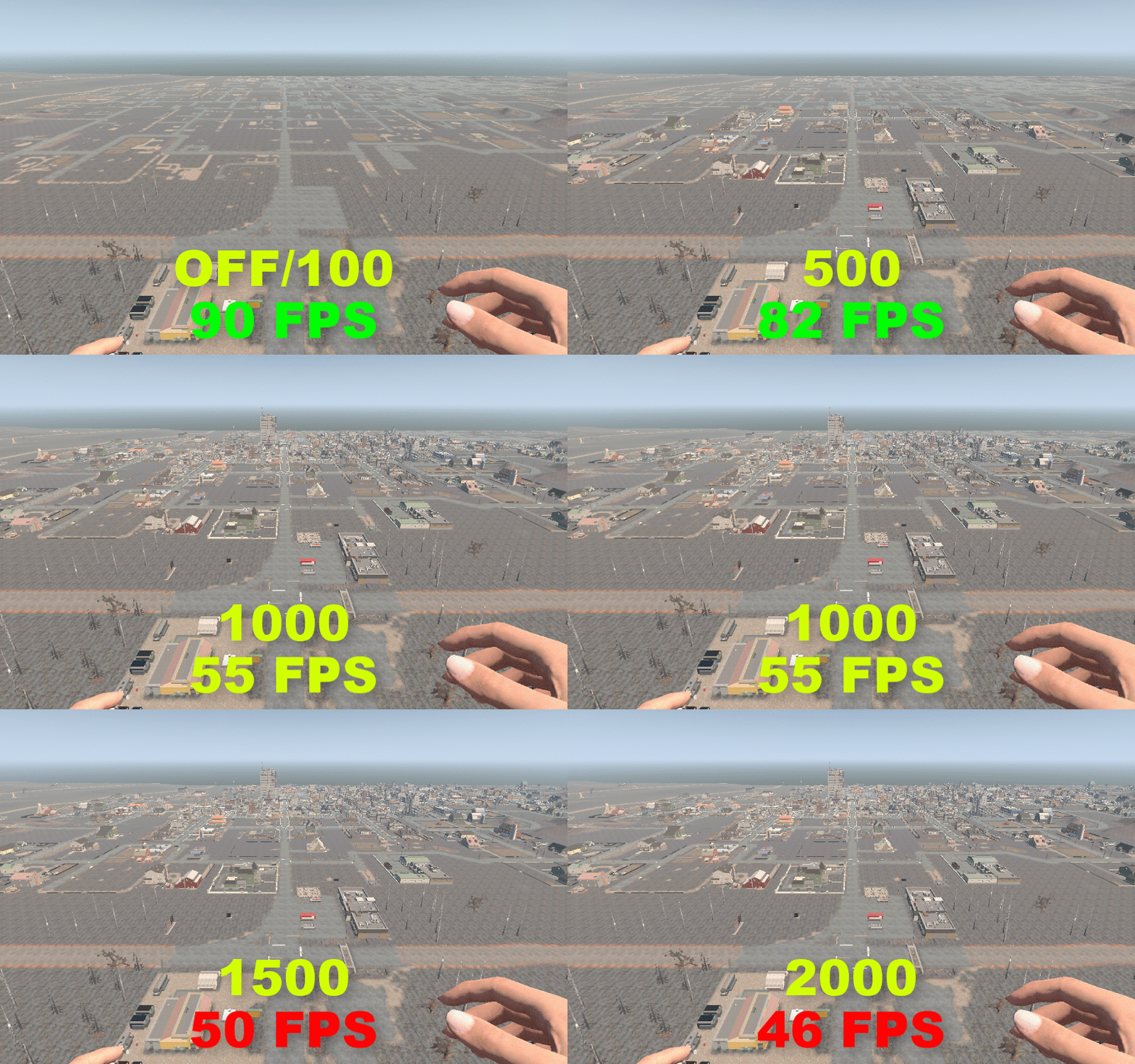
POTATO GRAPHICS: OFF/100
RECOMMENDED GRAPHICS: 500
Disabling this and having it at 100 has the same impact, same thing with Mesh Quality
BACKGROUND PROCESSES
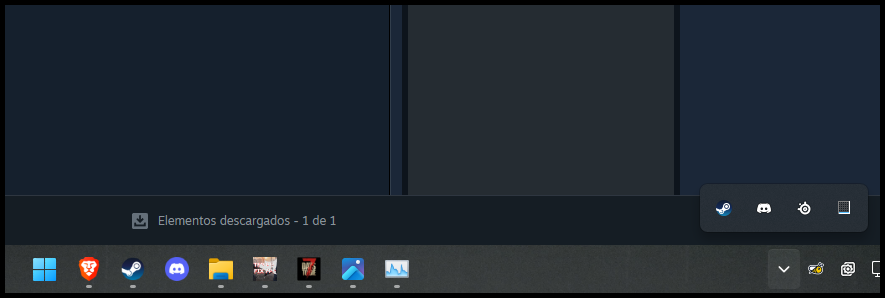
It's important to close all background processes or programs, including browsers and anything else you normally use in the background.
LAUNCHER SETTINGS
if you're only playing alone or with friends, try disabling the anticheat for extra FPS, some people benefits from this as this make the game use less processes!
![]()
after u start the game select the "Show Game Launcher" option
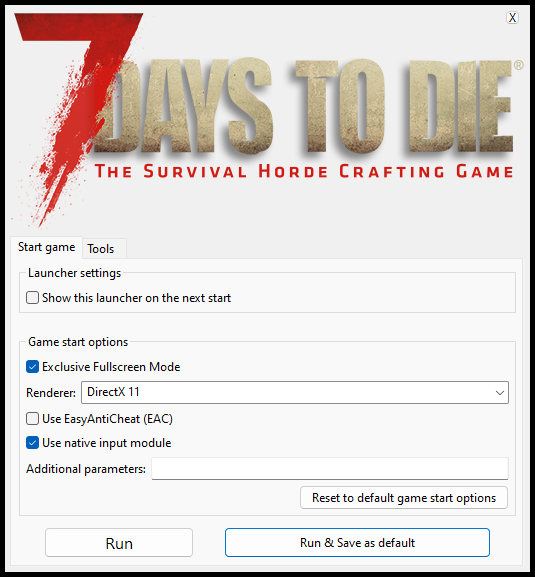
now uncheck "Use EasyAntiCheat (EAC)"
also check "Exclusive Fullscreen Mode" for extra stability
(this makes ALT-TAB more laggy but may fix game stutter)
after u start the game select the "Show Game Launcher" option
now uncheck "Use EasyAntiCheat (EAC)"
also check "Exclusive Fullscreen Mode" for extra stability
(this makes ALT-TAB more laggy but may fix game stutter)
BOOT.CONFIG
There is a file inside the game folders that manipulates some Unity configurations (the engine this game is using).
Changing this results in better CPU/GPU utilization for the engine, and it has been reported providing a significant increase in FPS.
go to your game install directory then to "7DaysToDie_Data" folder
you will find a file called boot.config, edit that file and it should contain this:
gfx-enable-gfx-jobs=1
gfx-enable-native-gfx-jobs=1
wait-for-native-debugger=0
scripting-runtime-version=latest
vr-enabled=0
hdr-display-enabled=0
gc-max-time-slice=3
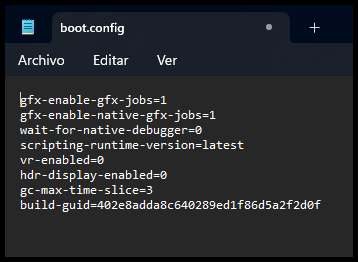
Now save, close and all ready!
Changing this results in better CPU/GPU utilization for the engine, and it has been reported providing a significant increase in FPS.
NEW UPDATE V1.0 B317
THEY ENABLED IT BY DEFAULT ON WINDOWS
THEY ENABLED IT BY DEFAULT ON WINDOWS
go to your game install directory then to "7DaysToDie_Data" folder
you will find a file called boot.config, edit that file and it should contain this:
gfx-enable-gfx-jobs=1
gfx-enable-native-gfx-jobs=1
wait-for-native-debugger=0
scripting-runtime-version=latest
vr-enabled=0
hdr-display-enabled=0
gc-max-time-slice=3
Now save, close and all ready!
MOD LIST
TAA Patch - Visual Clarity Fixes
Patched assembly designed to enhance the game's visual clarity, addressing issues such as jagged lines, low FOV, blurriness, flickering, shadows, and overall visual performance.
https://www.nexusmods.com/7daystodie/mods/3495
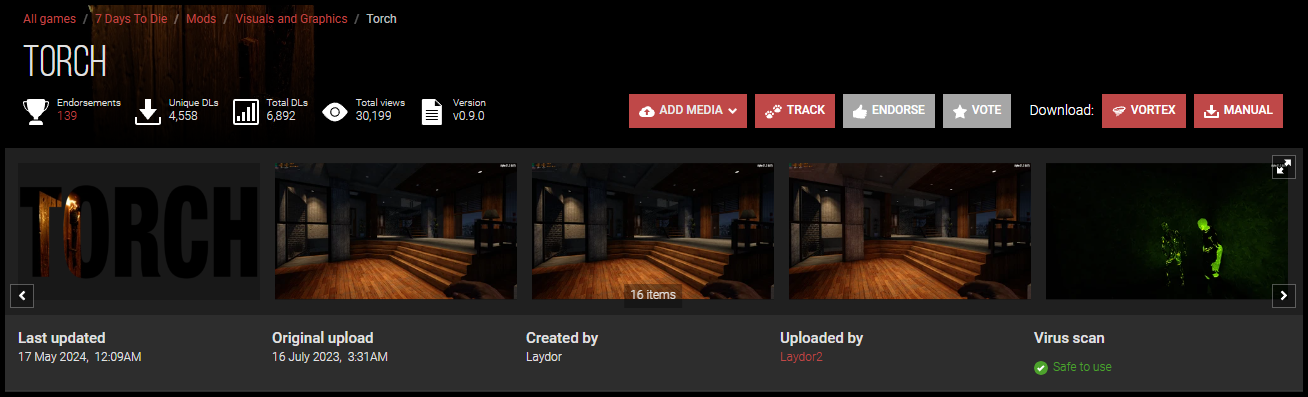
TORCH (ONLY FOR A21, NOT WORKING IN V1.0)
Torch is a 7 Days to Die mod which works to optimize one of the game's most inefficient areas -- the lighting engine. It is designed to improve lighting quality and frame rates in situtations where there are many lights in an area in game, it does so without compromising on how the game looks.
https://www.nexusmods.com/7daystodie/mods/3287
DEDICATED SERVER
Creating servers for playing with friends is common, but you think it's pointless since you can host games within the game itself? well, yes, but actually this can significantly improve your FPS and stuttering in every case! but It's recommended if you have extra CPU power and RAM.
With this, the server uses more CPU and RAM to process things like world load and events happening in the game, meanwhile the game uses CPU and RAM for other things. It's like configuring the engine to improve memory and CPU management (MultiThreading).
If you're interested in starting a private server, there's an official wiki that has all the necessary information.
https://developer.valvesoftware.com/wiki/7_Days_to_Die_Dedicated_Server
DEBLOATING WINDOWS
DISCLAIMER I DON'T TAKE RESPONSIBILITY ON BROKEN PCS, TAKE YOUR OWN RESPONSIBILITY MAKING CHANGES IN YOUR OPERATIVE SYSTEM AND ALWAYS MAKE A RESTORE POINT!
So.. Yes, debloating Windows 10/11, this is a veeery extensive topic, also, for some people that doesn't know what debloating means..
Today's windows comes full of unnecessary programs, options and things that not every user uses, so this completely impacts in every program, game, whatever performance..
So making it understandable lets being with AtlasOS
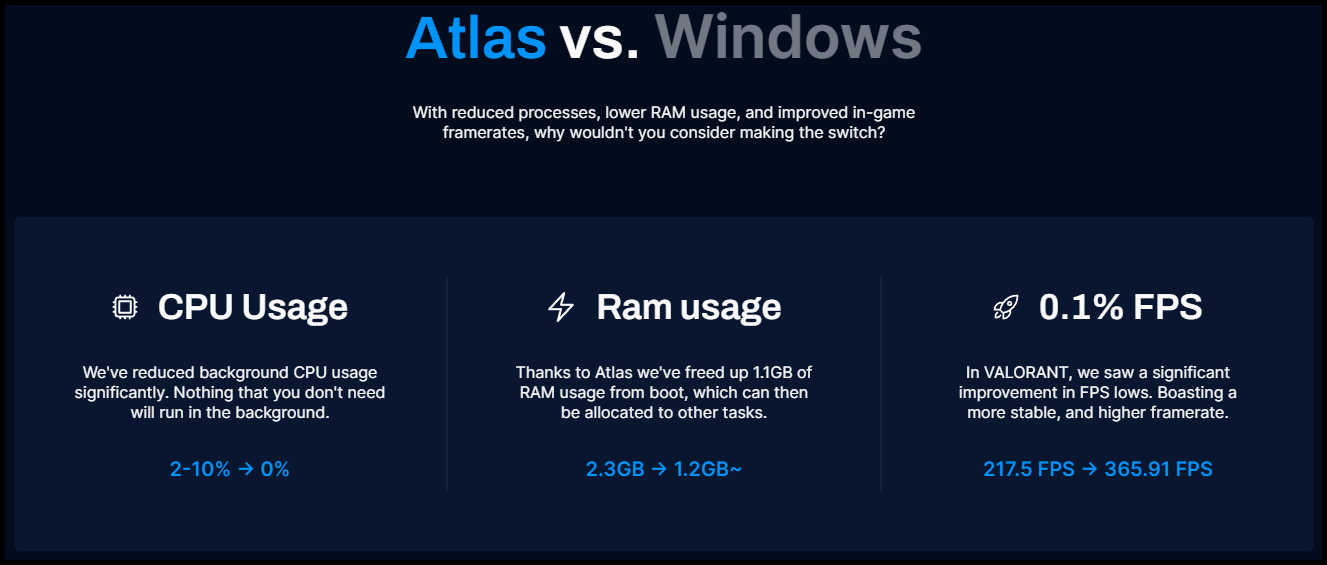
AtlasOS is not an operative system itself, it's an extensive program that modifies windows in extreme ways, debloating, removing and upgrading everything, honestly i use it personally, so if you're aware that this may give you incompatibility risks do it. The program itself is completely transparent and completely configurable
in their official page explains everything, compares benchmarks and gives you a complete guide for installing it, it's really simple and works flawlessly making ALL games gain more FPS and give more stability in terms of stuttering
OFFICIAL PAGE
https://atlasos.net/BENCHMARKS COMPARISON TABLE
https://forum.atlasos.net/d/763-atlas-v031-benchmark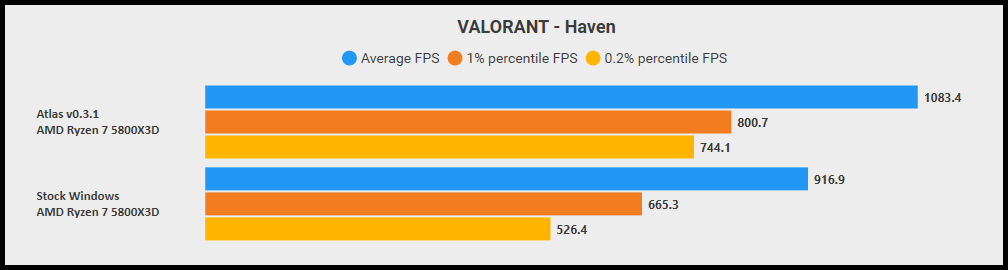
yes, that's a valorant benchmark
Some people may prefer another type of debloating Program like doing it manually or using other tool, another recommended tool is one from Chris Titus, it's more lightly but powerful!
CHECK HIS PAGE HERE![christitus.com]
If you're interested in doing it manually there's a plenty of videos where u can learn about the topic
REMEMBER, THIS IS NOT A MUST HAVE, IT MAY BREAK YOUR WINDOWS!
DEBLOATING NVIDIA
W O R K I N P R O G R E S S
OVERCLOCKING
W O R K I N P R O G R E S S

THANKS
Thank you for taking the time to read. The guide is still being updated, adding more content, and being updated as the game changes, so please be patient.
I believe this will be beneficial for everyone who encounters low FPS or stuttering.
Also, I'm a human after all, and this can take time, leave a reward if u want.
I believe this will be beneficial for everyone who encounters low FPS or stuttering.
Also, I'm a human after all, and this can take time, leave a reward if u want.