

Multi Monitor Setup w/ Autohotkey
 jonnysonny
(85 ratings)
Mar 4, 2022 @ 1:28am7,200138
Co-opModding or ConfigurationMultiplayerEnglish
Downloading Autohotkey/Script
You COULD use my precompiled Script[drive.google.com]
If you like running executables from strangers on the interwebz. i don't ¯\_(ツ)_/¯
You probably prefer installing Autohotkey[www.autohotkey.com]and running the code on your own.
EITHER WAY - make sure to run the code as administrator or it wont work.
If you like running executables from strangers on the interwebz. i don't ¯\_(ツ)_/¯
You probably prefer installing Autohotkey[www.autohotkey.com]and running the code on your own.
EITHER WAY - make sure to run the code as administrator or it wont work.
Code
Skip to "Running it" if you are running the precompiled script
the F6 / F7 hotkeys should work for everyone having two monitors with the same resolution.
F10 / F11 serve as a demonstration for editing the code.
Save this as "ItTakesTwo.ahk"
#ifwinactive ahk_exe ItTakesTwo.exe
;WinMove, WinTitle, WinText, X, Y , Width, Height, ExcludeTitle, ExcludeText
F11::WinMove, A,, 0, 0 , 3840, 1080
F10::WinMove, A,, 0, 0 , 1920, 1080
F6::WinMove, A,, 0, 0, A_ScreenWidth, A_ScreenHeight
F7::WinMove, A,, 0, 0, (A_ScreenWidth*2), A_ScreenHeight
the F6 / F7 hotkeys should work for everyone having two monitors with the same resolution.
F10 / F11 serve as a demonstration for editing the code.
Editing Code
This shouldnt be needed. You can probably just skip to "Running it"
The syntax is actually not that complicated: WinMove, WinTitle, WinText, X, Y , Width, Height
All you need to know, is your screens native resolution, Width and Height, and adapt accordingly.
e.g.:
Here[www.autohotkey.com] you can read more about the winmove command.
The syntax is actually not that complicated: WinMove, WinTitle, WinText, X, Y , Width, Height
All you need to know, is your screens native resolution, Width and Height, and adapt accordingly.
e.g.:
- 1 Full HD monitor is 1920 pixels wide and 1080 pixels high.
- 2 Full HD monitors are 3840 pixels wide and 1080 pixels high.
- For stretching the current window over both monitors with F11, this is the code:
F11:: WinMove, A, , 0, 0, 3840, 1080 - For going back to only using the first monitor, this is the code:
F10:: WinMove, A, , 0, 0, 1920, 1080
Here[www.autohotkey.com] you can read more about the winmove command.
Running it
Run the script as administrator and tab into game.
Use F7 for playing on two monitors:
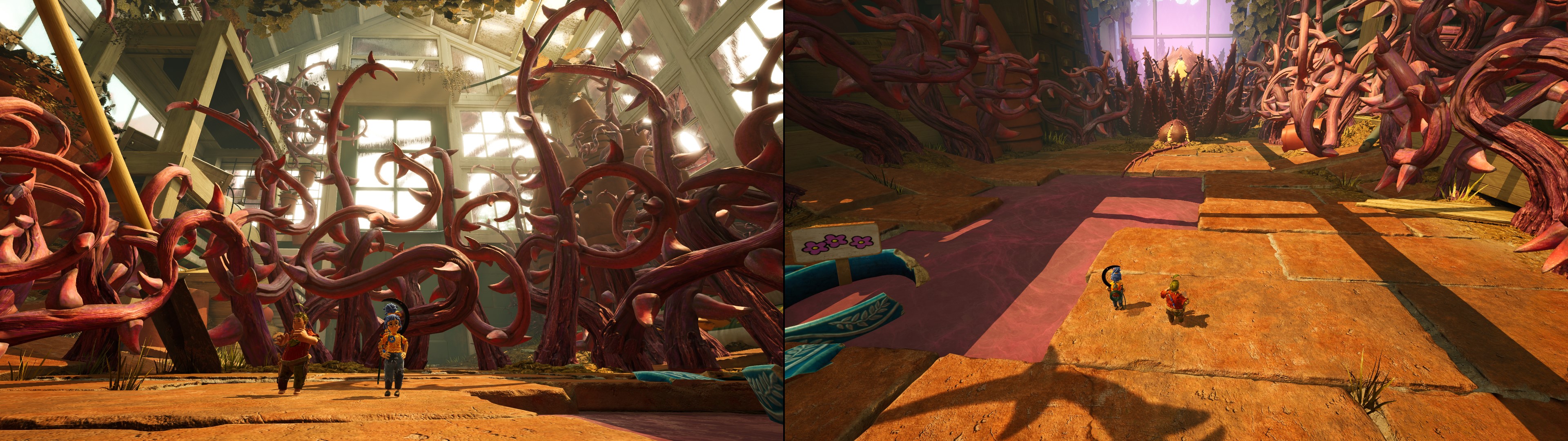
Use F6 for playing on one monitor again:
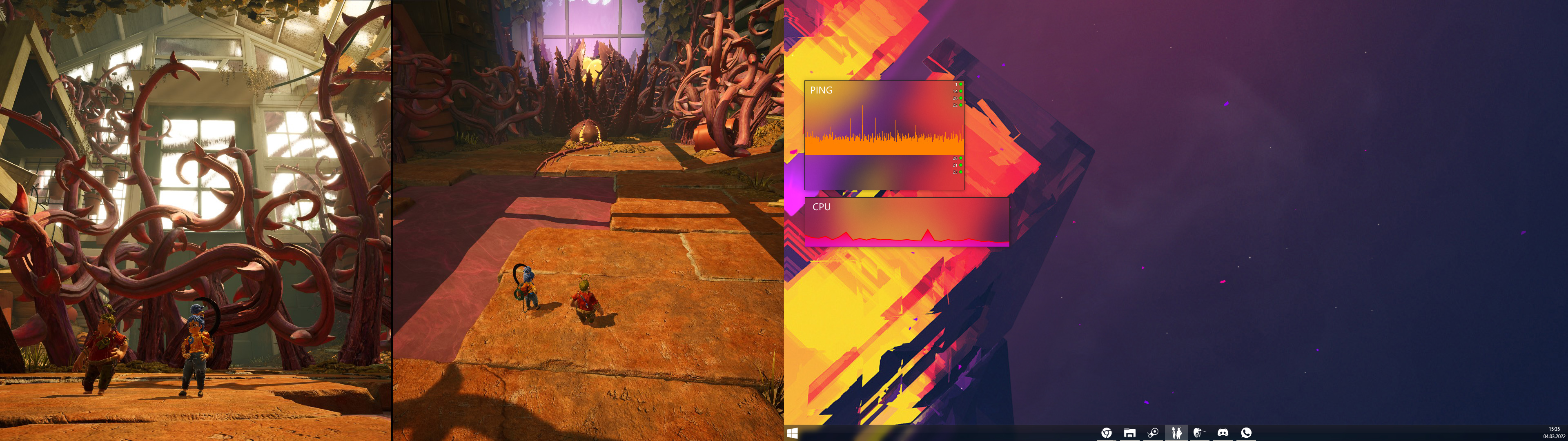
Use F7 for playing on two monitors:
Use F6 for playing on one monitor again:
Not working?
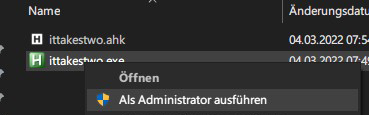
- Make sure you are running the script
as administrator! - Ingame set Options ➡ Display ➡ Window Mode to "Borderless Windowed", which is the default setting.
If you are still having trouble, feel free to ask. Otherwise; have fun with this wonderful game!