

ICON FIX for DEATH STRANDING 2: ON THE BEACH!
 SPIDER-EMMAN
Mar 19 @ 10:21am2390
Modding or ConfigurationEnglish
The Steps...
Right click the icon, select properties
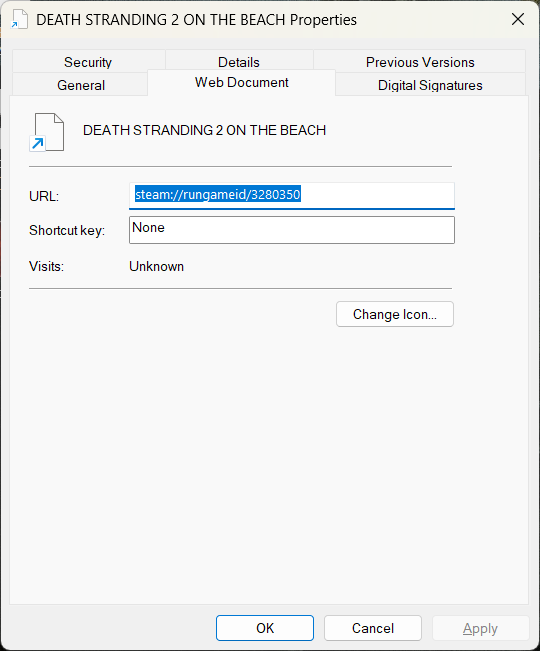
Now under the web document tab, select the change icon option
Navigate to your DS2 folder, which can be in a format like:
Program Files (x86)\Steam\steamapps\common\DEATH STRANDING 2 - ON THE BEACH
or right click the game on steam and find the local installed folder
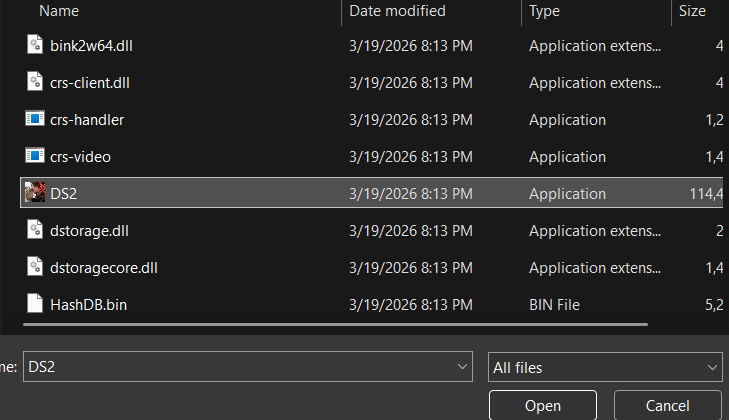
Select all files in the bottom right panel and choose the DS2 application file
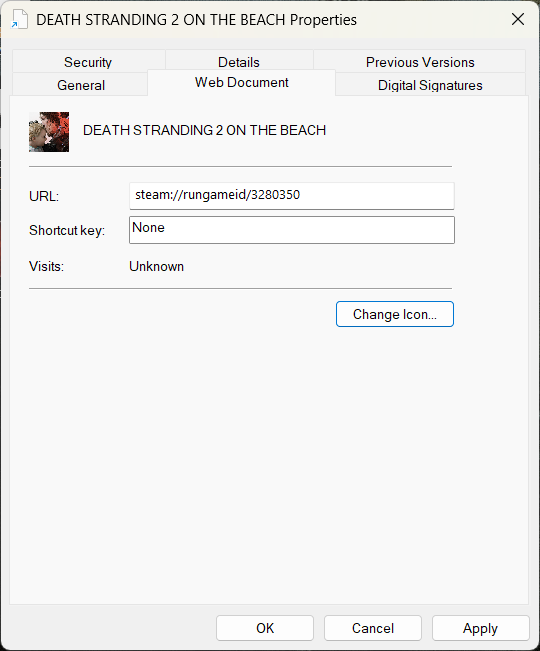
Hit Apply
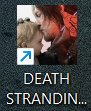
Now your DEATH STRANDING 2 - ON THE BEACH icon is tuned properly!
Keep on keeping on, porters!
Now under the web document tab, select the change icon option
Navigate to your DS2 folder, which can be in a format like:
Program Files (x86)\Steam\steamapps\common\DEATH STRANDING 2 - ON THE BEACH
or right click the game on steam and find the local installed folder
Select all files in the bottom right panel and choose the DS2 application file
Hit Apply
Now your DEATH STRANDING 2 - ON THE BEACH icon is tuned properly!
Keep on keeping on, porters!