

Coloured Text Signs
 VinnyViking
(239 ratings)
Feb 18, 2025 @ 12:53pm5,832447
Gameplay BasicsMaps or LevelsModding or ConfigurationSecretsWalkthroughsEnglish
Formatting
Preview
Description
Command
Command
(Of preview)
Coloured text
<#hexcode>
<#ff66ff>hi there

Italic text
<i>
<i>hi there

Underlined text
<u>
<u>hi there
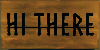
Striked text
<s>
<s>hi there

Moving text down
(Original size)
(Original size)
<voffset=x>
<voffset=-4>hi there

Moving text up
(Original size)
(Original size)
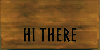
<voffset=x>
<voffset=4>hi there
Subscript Text
<sub>
<sub>hi there
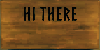
Superscript Text
<sup>
<sup>hi there

Text on the left side
<align=left>
<align=left>hi

Text on the right side
<align=right>
<align=right>hi

Create space on the right side of text
<margin-right=x>
<margin-right=8>hi
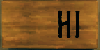
Create space on the left side of text
<margin-left=x>
<margin-left=8>hi
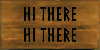
New text line below
\n
hi there \nhi there
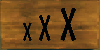
Text size
<size=x>
<size=5>x <size=7>x <size=9>x

More character spacing
<cspace=x>
<cspace=1>hi there

Less character spacing
<cspace=x>
<cspace=-1>hi there
- Combinations are possible.
- There is a character limit of 50 per sign, each command counts into that.
- The text will disappear from view when putting in a command.
Emoji signs
- Edit / Use sign.
- Open the Emoji menuWin + .
- Click on the emoji you want to use.
- It will automatically be put into the sign.
- Combinations are possible.
- There is a character limit of 50 per sign, each command counts into that.
- Combinations are possible.
- It will automatically be put into the sign.
- Done.
Menu
Example
Open Menu
(Windows)


Win + .
Sprites
Preview
Command
(Of preview)
<sprite=1>

<sprite=2>

<sprite=3>

<sprite=4>

<sprite=5>

<sprite=6>

<sprite=7>

<sprite=8>

<sprite=9>

<sprite=10>

<sprite=11>

<sprite=12>

<sprite=13>

<sprite=14>

<sprite=15>
NOTE:
- These are Sprites not text emojis.
- Sprites are 2D Graphic objects. In 3D sprites are essentially just standard textures. However these particular sprites have no real function in the game, so they might get dropped in the future. If so please tell us below if they stop working.
- Formatting Combinations are possible.
- There is a character limit of 50 per sign, each command counts into that.
- The formatting text will disappear from view when putting in a command.
Hex Code Sheet
Command: <#hexcode>
Example: <#ff66ff>your text here
Example: <#ff66ff> can be shorten to <#f6f>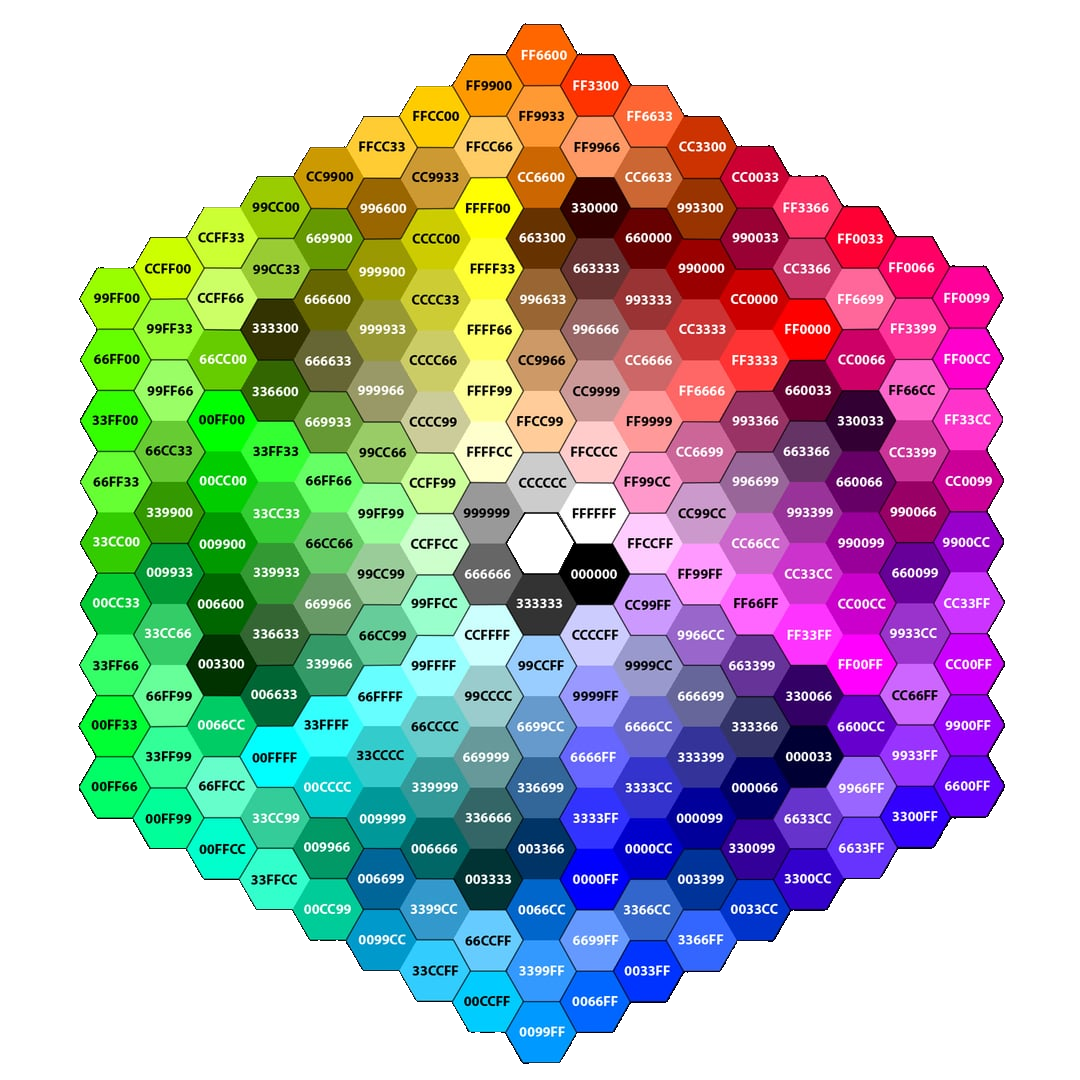
Example: <#ff66ff>your text here
NOTE:
For this sheet you can skip a character if there are 2 of the same next to each other.Example: <#ff66ff> can be shorten to <#f6f>
Notes
More Valheim Guides
We have made several other Valheim guides, our biggest being:https://steamcommunity.com/sharedfiles/filedetails/?id=2433469044 To check the other guides we have Click here.
Feedback
Constructive feedback is always welcomed. If we missed something, please don’t be afraid to comment below so we can make the guide better. Our goal is to have clean and easy to use guide.
Thank you all for the positive ratings!
We made this guide purely for the love of the game, we do not seek to gain anything.This guide is made by fans for fans.