

SUPER FORMATTING - ✨The Guide To Colored Names and More✨
 Racc
Racc(456 ratings)
Nov 19, 2024 @ 5:56pm23,958945
Modding or ConfigurationEnglish
📌Introduction
What is Super Formatting?
Through vigorous testing and looking around at raw text data I've been able to almost reverse HELLDIVERS™ 2 markup language, but some tags seemingly not working at all and others even crashing your game if done wrong!Anyways, you might've seen some players with interesting colored names flying about on Reddit or even in-game. I myself chalked it up as some language incompatibility or modification, but it's simply done with the use of markup, which HELLDIVERS™ 2 has its own akin to HTML/XML.
If you're unfamiliar with what a markup language is simply put, it's a way to both write text and change the formatting and structure of said text.
Currently, I've only found 4 tags that can be used. HELLDIVERS™ 2 has a quite simple and sleek design, so if that is anything to take note of I'm probably covering them all.

🛠️Implementation
🏷️Name change🏷️
How to change your name:
1. Head to your profile
2. Click Edit Profile
3. Change your name under PROFILE NAME
4. Scroll down and hit Save
How to change your name:
1. Head to your profile
2. Click Edit Profile
3. Change your name under PROFILE NAME
4. Scroll down and hit Save
💬Chatting💬
How to chat:
1. Click Enter
2. Type in the chat with embeds
3. Hit Enter again to send the message
How to chat:
1. Click Enter
2. Type in the chat with embeds
3. Hit Enter again to send the message
📋Things of Note
Bit of information and pieces of advice in no particular order:

- You won't get banned for this, but it's your account and your responsibility
- The hexadecimal numbers are not case sensitive, mix and match
- You don't have to restart the game in order for name change to take effect
- All tags work both on name and in chat
- Even though a tag might appear gone when spelled in chat you can still delete it
- By default chat messages will use the same dimensions as you name
- You don't necessarily need the closing tag for the tag to work, can save you 4 characters
- You can counteract the chat messages being modified with closing tags </s> and </f>
- The closing tag </c> works as <c=FF0000000> and </s> works as <s=20>
- You can mix all tags, you're not limited to just one
- Steam limits users to between 2 and 32 characters; make sure you're not using to many
How is this guide structured?
- 📑Structured format of tags
- Code snippet of the tags shown with parameters and limits
- Code snippet of the tags shown with parameters and limits
- 🖼️Game screenshot
- A screenshot showcasing how it will and should look in-game
- A screenshot showcasing how it will and should look in-game
- 📢Explained usage
- Additional information with noting of functionality
- Additional information with noting of functionality
🎨Color Tag
Used to change color of the text:
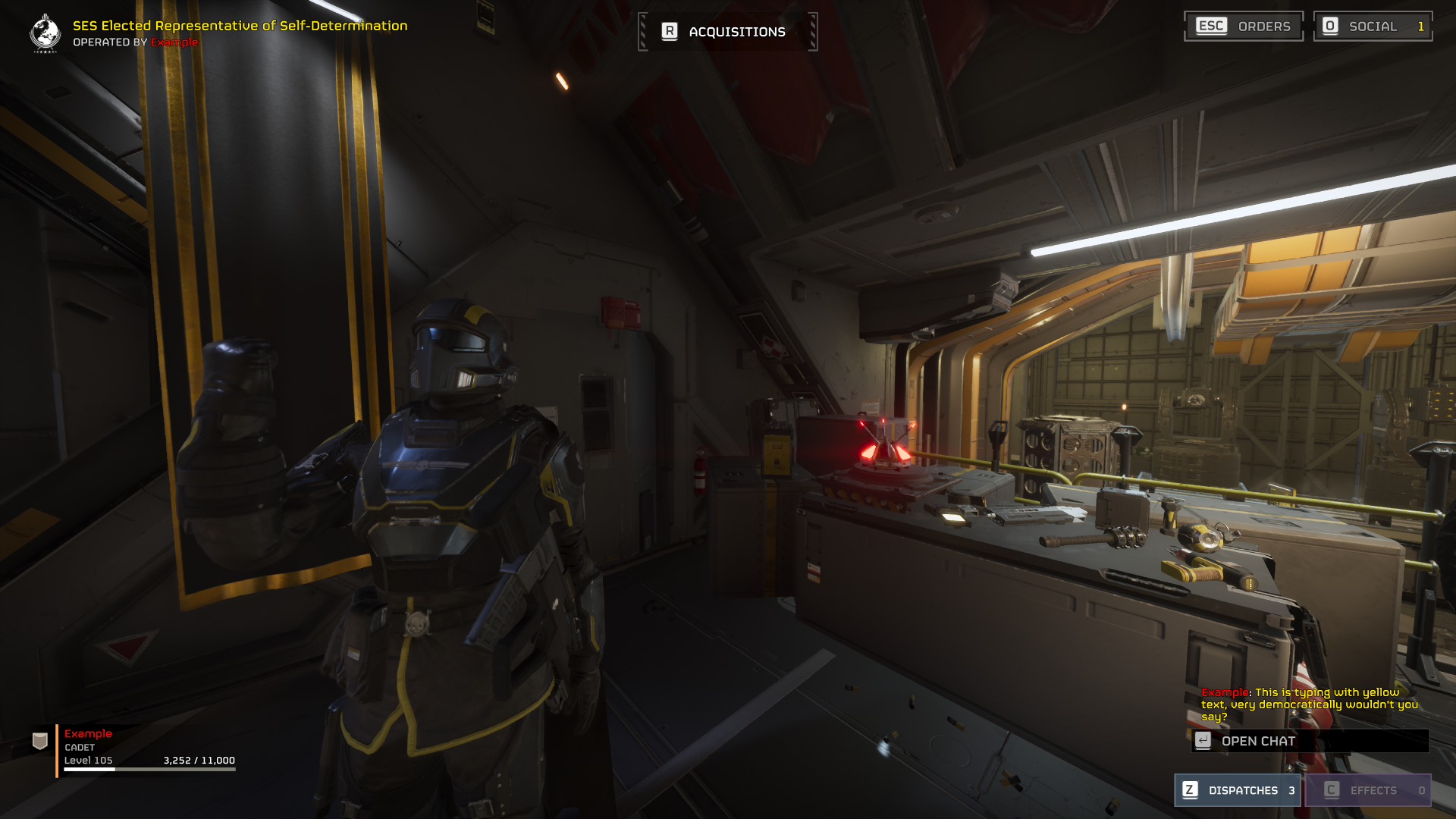
The default color for both name and chat messages is white. To find a color for yourself, use any image editing program or search "color picker" online. If you're still unsure, I picked out some colors below that can be used directly:
<c=YYXXXXXX>Example</c>
- YY: Transparency Value (2 hex digits)
- 00: Fully transparent
- FF: Fully opaque
- 00: Fully transparent
- XXXXXX: Color Value (6 hex digits)
- 000000: Black
- FFFFFF: White
- 000000: Black
Name: <c=ffff0000>Example
Chat: <c=ffffE900>This is typing with yellow text, very democratically wouldn't you say?
Usage:
The first 2 hexadecimal numbers are the alpha, giving you 256 shades of transparency, with the rest 6 hexadecimal characters to pick a color of the VGA standard, giving you over 16 million possibilities!The default color for both name and chat messages is white. To find a color for yourself, use any image editing program or search "color picker" online. If you're still unsure, I picked out some colors below that can be used directly:
Color
HEX
🟥Red
FFFF0000
🟧Orange
FFFF5F1F
🟫Brown
FF834333
🟨Yellow
FFFFE900
🟩Green
FF0FFF50
🟦Blue
FF0096FF
🟪Purple
FF7F00FF
⬛Black
FF000000
⬜White
FFFFFFFF
📏Size Tag
Used to change size of the text:
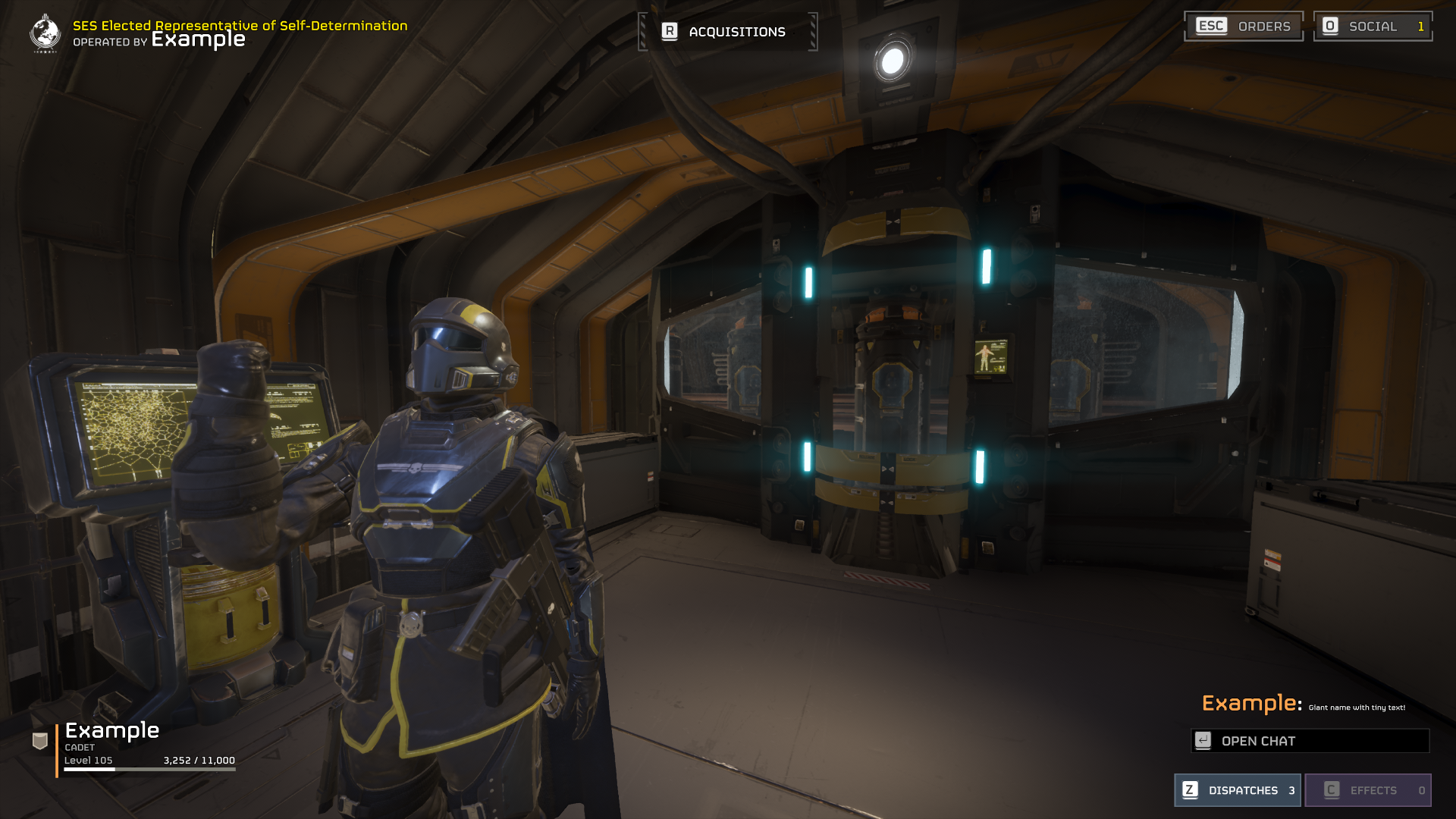
XX: Size Value (2 decimal digits)<s=XX>Example</s>
- 00: Removed text
- 01: Smallest size
- 99: Biggest size
Name: <s=40>Example
Chat: <s=13>Giant name with tiny text!
Usage:
The default size of your name is 20. If you'd like the biggest possible name with the most clutter, ASCII characters can achieve that and will make the game scroll to display everything.
💪Fat Tag
Used to change the text into bold:
For 02, it makes your text invisible, but 03 removes the text, making it not just invisible but removed.
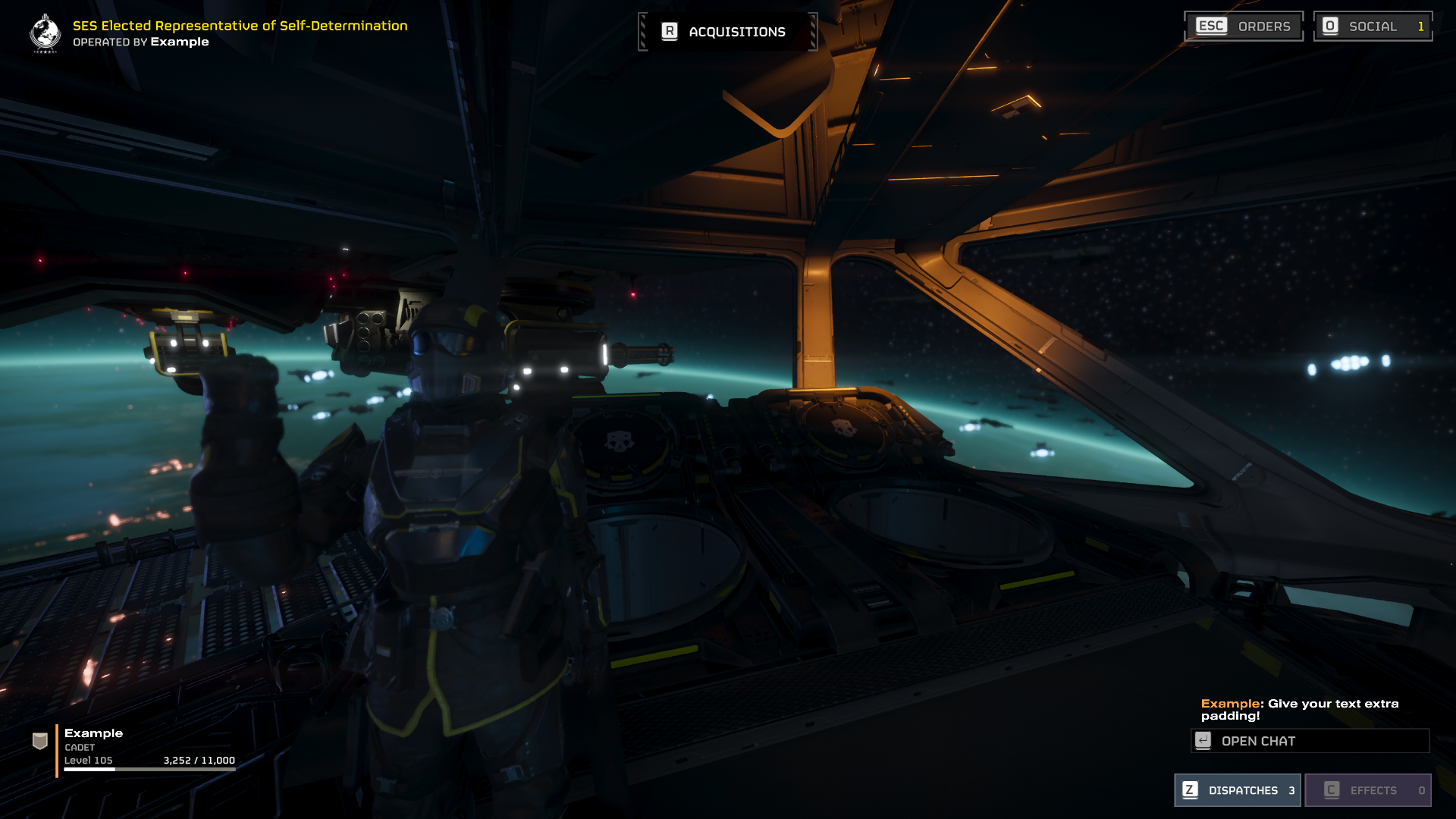
XX: Index Value (2 decimal digits)<f=XX>Example</f>
- 00: Bold
- 01: Also Bold
- 02: Invisible
- 03: Removed text
Name: <f=00>Example
Chat: <f=01>Give your text extra padding!
Usage:
There is no noticeable difference between using 00 or 01; both achieve the same visuals.For 02, it makes your text invisible, but 03 removes the text, making it not just invisible but removed.
🗂️Index Tag
Used to change the text via templates:
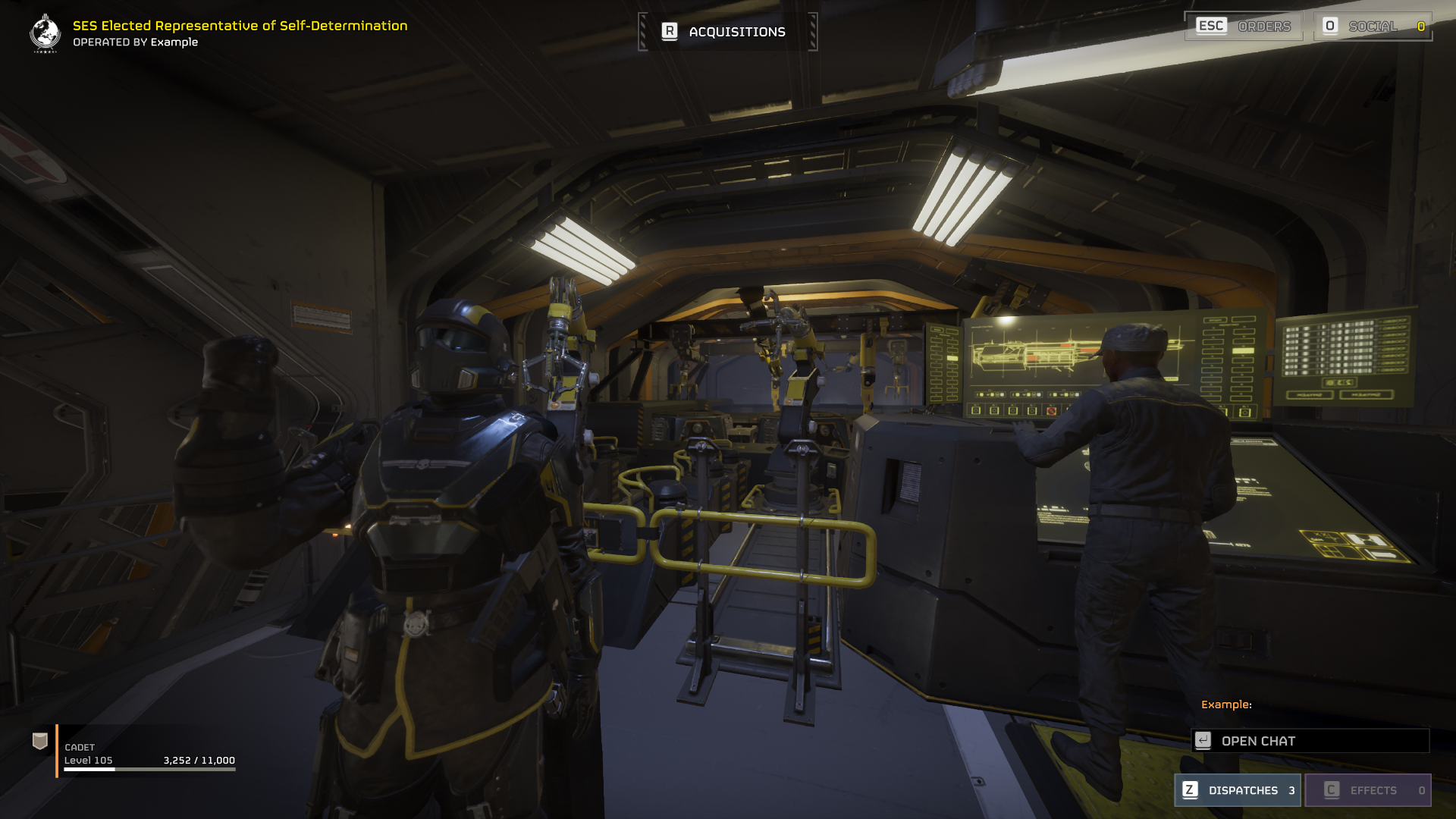
This tag is intended for developers to more easily write mission briefings and dispatches for major orders and functions as a template. No new functionality is found here, where 1 seems to be yellow text, 2 is still unknown, and 3 bold text.
X: Index Value (1 decimal digit)<i=X>Example</i>
- 1: Partially invisible (Name)
- 1: Player color (Chat)
- 2: Invisible
- 3: Invisible
Name: <i=1>Example
Chat: <i=2>This text won't be viewable anyways!
Usage:
Partially visible, meaning your name is shown in chat and at hosting the super destroyer, but not in lobby or other places. Player color is the color you're given by the game. This tag is intended for developers to more easily write mission briefings and dispatches for major orders and functions as a template. No new functionality is found here, where 1 seems to be yellow text, 2 is still unknown, and 3 bold text.
➕Extras
[This section of the guide doesn't introduce any new formatting concepts but provides additional information and examples that may assist with styling]
I'd recommend using ASCII over emojis, as emojis can be finicky and break tags.
Unsupported symbols will show up as question marks or might be invisible.
Both size and color tags work great on symbols, but the fat tag only breaks them!
Here's a small list of working symbols I coupled together:





 Big thanks to An Atheist Jew for helping me recognize the need for a dedicated section on implementation. The feedback was concise, constructive, and clear!
 Much appreciated, dotlake, for a sharp eye pointing out a typo in the fat tag section!
 Shoutout to WölfKann for bringing to my attention the chat functionality of <i=1>!
🔣Symbols
HELLDIVERS™ 2 actually supports a lot of both ASCII and emojis!I'd recommend using ASCII over emojis, as emojis can be finicky and break tags.
Unsupported symbols will show up as question marks or might be invisible.
Both size and color tags work great on symbols, but the fat tag only breaks them!
Here's a small list of working symbols I coupled together:
Name
Symbol
Star
★
Hollow Star
☆
Heart
♥
Skull
☠︎
Yin and Yang
☯︎
Omega
Ω︎
Sun
☀︎
Cloud
☁︎
Umbrella
☂︎
Snowflake
❄︎
Radioactive
☢︎
Biohazard
☣︎
Peace
✌︎
📝Examples
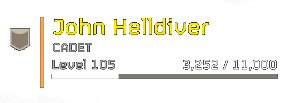
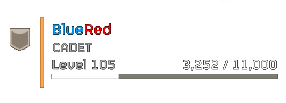
Here are some names I formatted in what I'd consider best practice:Code
In-Game
General Brasch<c=ffffe900>★
<c=ffffe900><s=30>John Helldiver
☯︎White<c=ff000000>Black☯︎
<c=74000000>👤<f=00>Anonymous
<c=ff0096ff>Blue<c=ffff0000>Red
<c=ffff006f><s=90>×͜×</s>
<c=ff00ff11><s=90>🐲=============
💖Special thanks
Big thanks to An Atheist Jew for helping me recognize the need for a dedicated section on implementation. The feedback was concise, constructive, and clear!Much appreciated, dotlake, for a sharp eye pointing out a typo in the fat tag section!Shoutout to WölfKann for bringing to my attention the chat functionality of <i=1>!