

Skip scary Intro (Ear Protection Edition)
 </3 No Vanity
(27 ratings)
Jan 15 @ 6:16am67427
Modding or ConfigurationSecretsEnglish
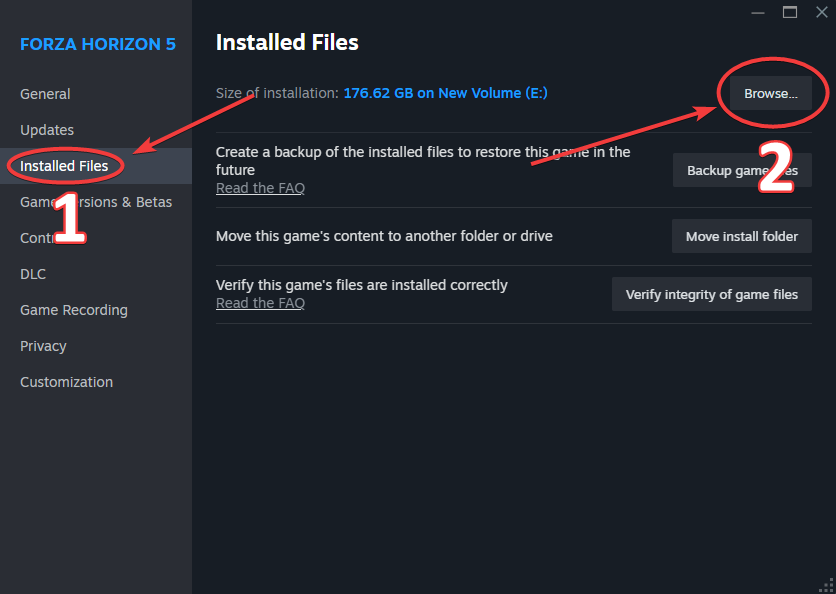
1. Locate Game Files
- Open your Steam Library and find Forza Horizon 5.
- Right-click the game → Manage → Browse local files.
- This will open the main game folder, usually located here: Steam\steamapps\common\ForzaHorizon5
2. Disable the Intro Video
- Once in the game folder, navigate to: media → UI → Videos.
- Look for the file named: T10_MS_Combined.bk2 (sometimes it might be T10_MS_Combined.bik).
- You have two main options:
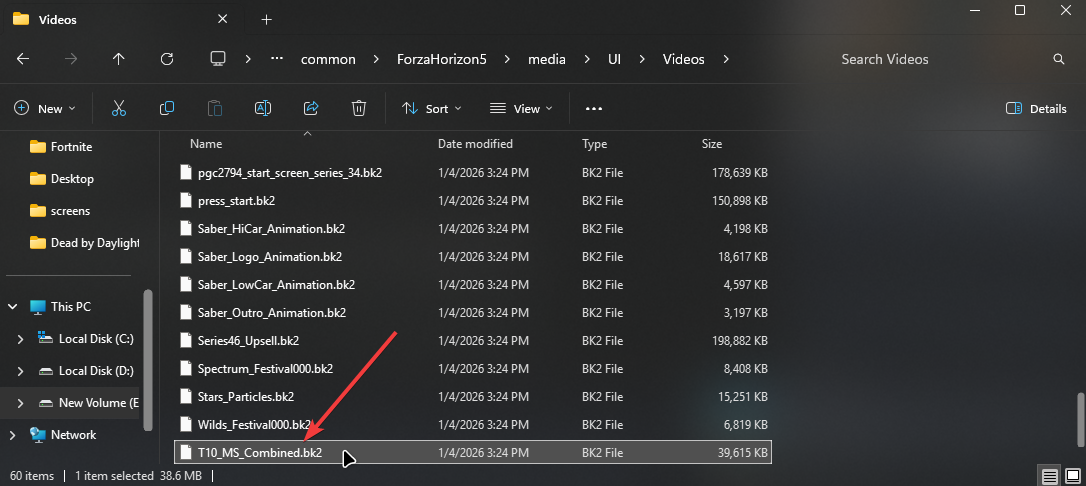
Option A : Rename the file to something like T10_MS_Combined.bk2.bak or T10_MS_Combined-intro.bk2. This acts as a backup.
Option B: Delete the file entirely. I personally prefer to delete it completely.
After performing either step, the intro videos will no longer play when you launch the game – you'll go straight to the main menu!
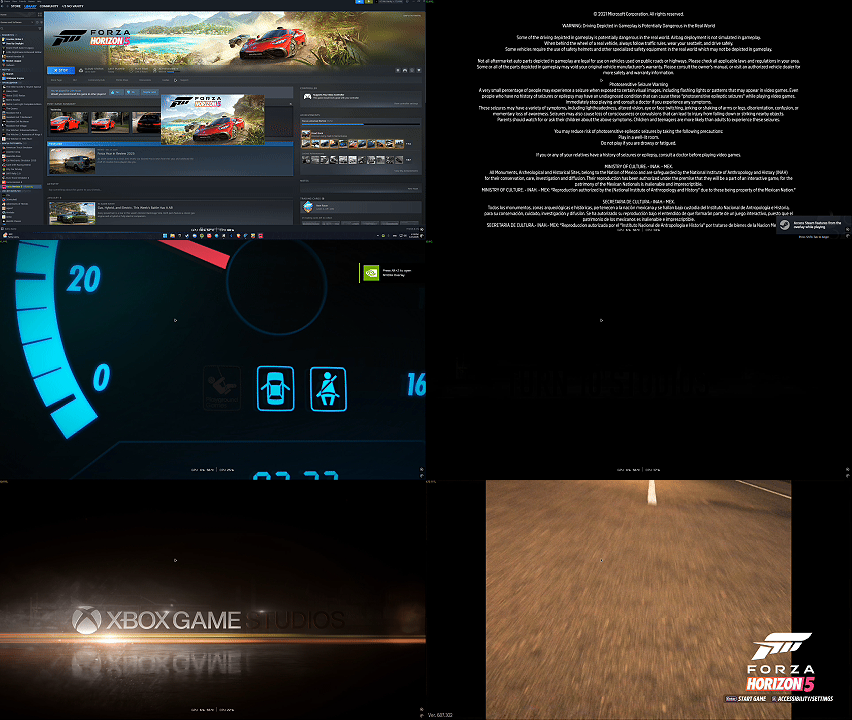
Before & After
❌ BEFORE:
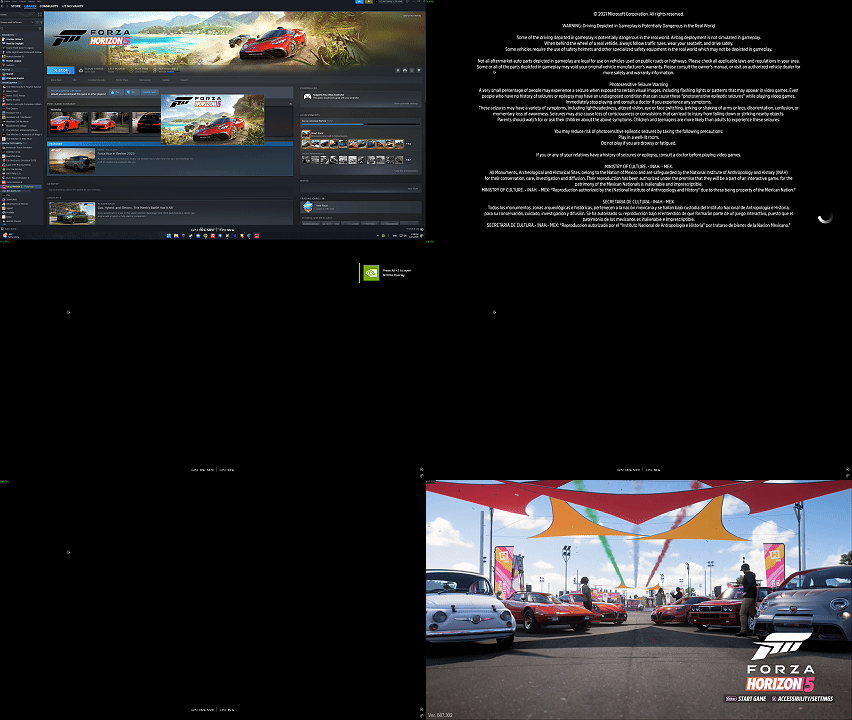
✅ AFTER:
- Loud "Playground Games" and "Turn 10" logos.
- Unskippable legal screens.
- Wasted time every single launch.
✅ AFTER:
- Straight to the "Press Start" screen.
- Your ears are safe.
- Faster access to the Horizon Festival!
FAQ
Q: My intro video came back after some time, what happened?
- A: This can happen after a game update or if you verify the integrity of your game files through Steam. Simply follow the steps in this guide again to remove it.
Thank you for attention
That’s it! Enjoy your quiet and fast game launches.
If this guide was helpful and saved your ears, please consider:
Your support helps this guide stay visible for other players who are also tired of the loud intro. See you at the Horizon Festival!
▬▬▬▬▬▬▬▬▬▬▬▬▬▬▬▬▬▬▬▬▬▬▬▬▬▬▬▬▬▬▬▬▬▬▬▬▬▬▬▬▬▬▬▬
If this guide was helpful and saved your ears, please consider:
- Giving it a Rate 👍
- Adding it to your Favorites ⭐
- Leaving a Comment if you have any questions.
Your support helps this guide stay visible for other players who are also tired of the loud intro. See you at the Horizon Festival!
▬▬▬▬▬▬▬▬▬▬▬▬▬▬▬▬▬▬▬▬▬▬▬▬▬▬▬▬▬▬▬▬▬▬▬▬▬▬▬▬▬▬▬▬